Property manager guides
People, organisations and portal access
Keep tenants, landlords, applicants, contractors and companies in one directory and decide who can use a portal.
- Updated
- Reading time
- 1 min read
People & organisations is your directory: tenants, landlords and owners, applicants, guarantors, contractors, professionals and the companies they belong to. The Access tab controls who can sign in to a portal.
Find your way around the directory
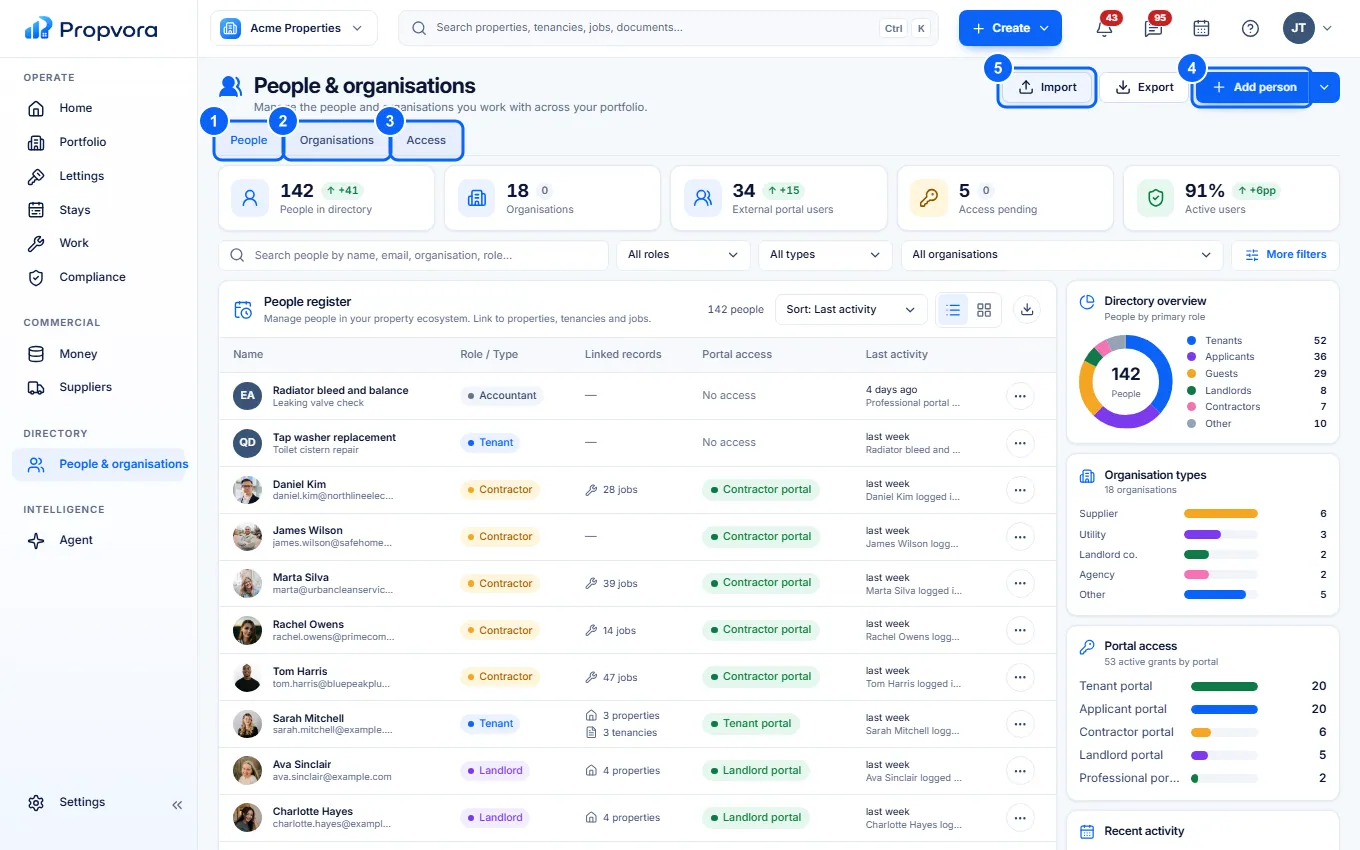 (opens the full-size screenshot)
- People: everyone in your directory. Use Search and More filters to find someone.
- Organisations: companies such as letting agents, management companies and contractors.
- Access: portal access for each person.
- Add person: add someone. More add options lets you add an organisation.
- Import: import contacts from a spreadsheet.
Give someone portal access
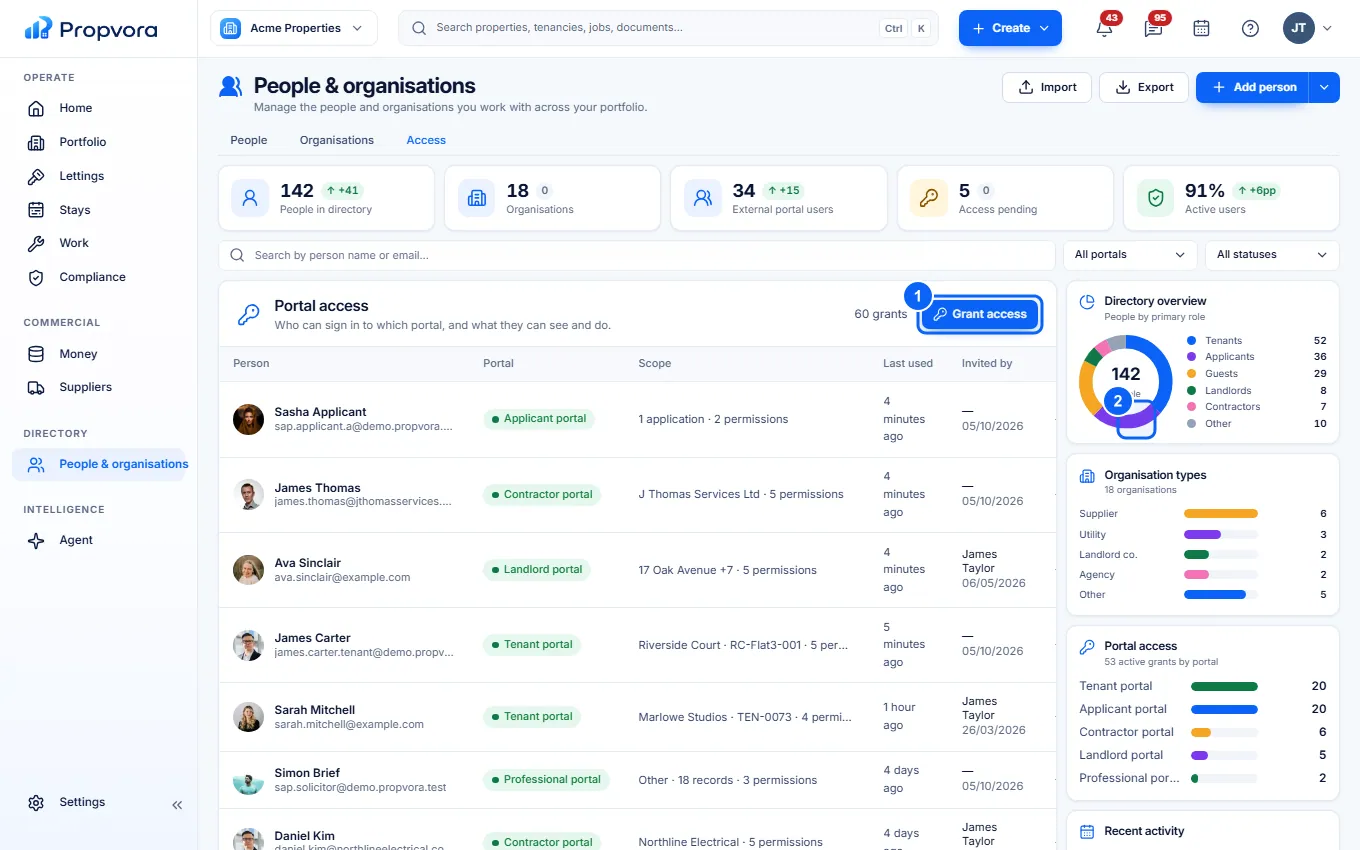 (opens the full-size screenshot)
- Choose Grant access on the Access tab (or Portal access on a person's record). First choose who and which portal (tenant, landlord, owner, applicant, contractor, supplier or professional), then Continue to scope to pick the properties, tenancies or jobs they can see, what they can do and when access expires. They receive an email with a secure sign-in link.
- Use the access actions next to a person to Pause, Resume, Re-invite or Revoke access.
What each portal shows is set in Settings › Rules & Access › Portal defaults, for example whether tenants can report repairs or landlords can see statements. Portal users never count as team seats.