Portals
Tenant portal guide
Use your tenant portal to see your tenancy, report repairs, check rent and payments, read documents and message your property team.
- Updated
- Reading time
- 1 min read
On this page
Your tenant portal is shared with you by your landlord or letting agent. It is free to use and you sign in with a one-time link, not a password (see Sign in to your portal).
Find your way around
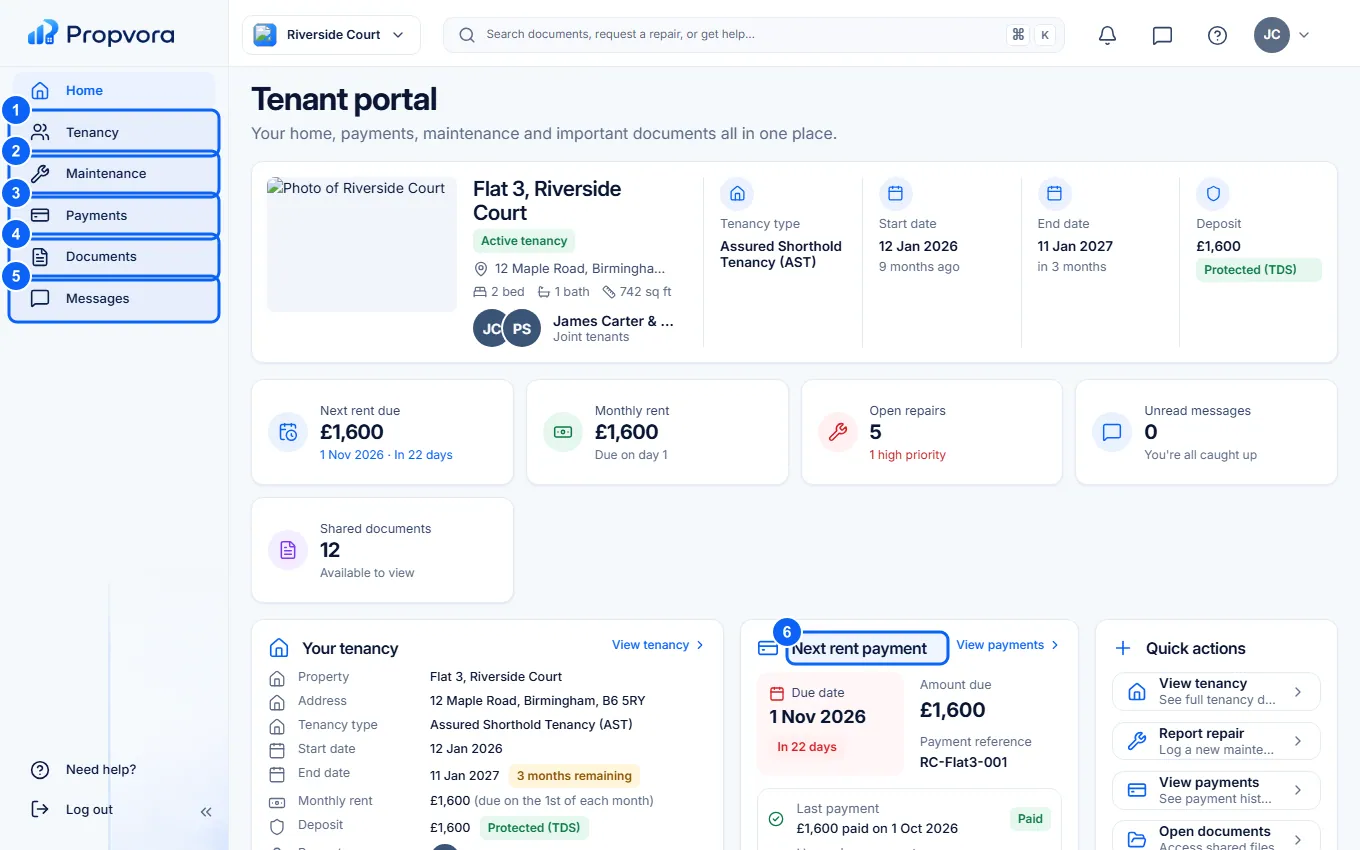 (opens the full-size screenshot)
- Tenancy: your property, key dates, the people and contacts on your tenancy, and the latest version of your agreement.
- Maintenance: your repairs and upcoming visits.
- Payments: rent due, payment history, how to pay and your deposit.
- Documents: your agreement, safety certificates and other shared files.
- Messages: conversations with your property team.
- Next rent payment: how much is due and when.
Report a repair
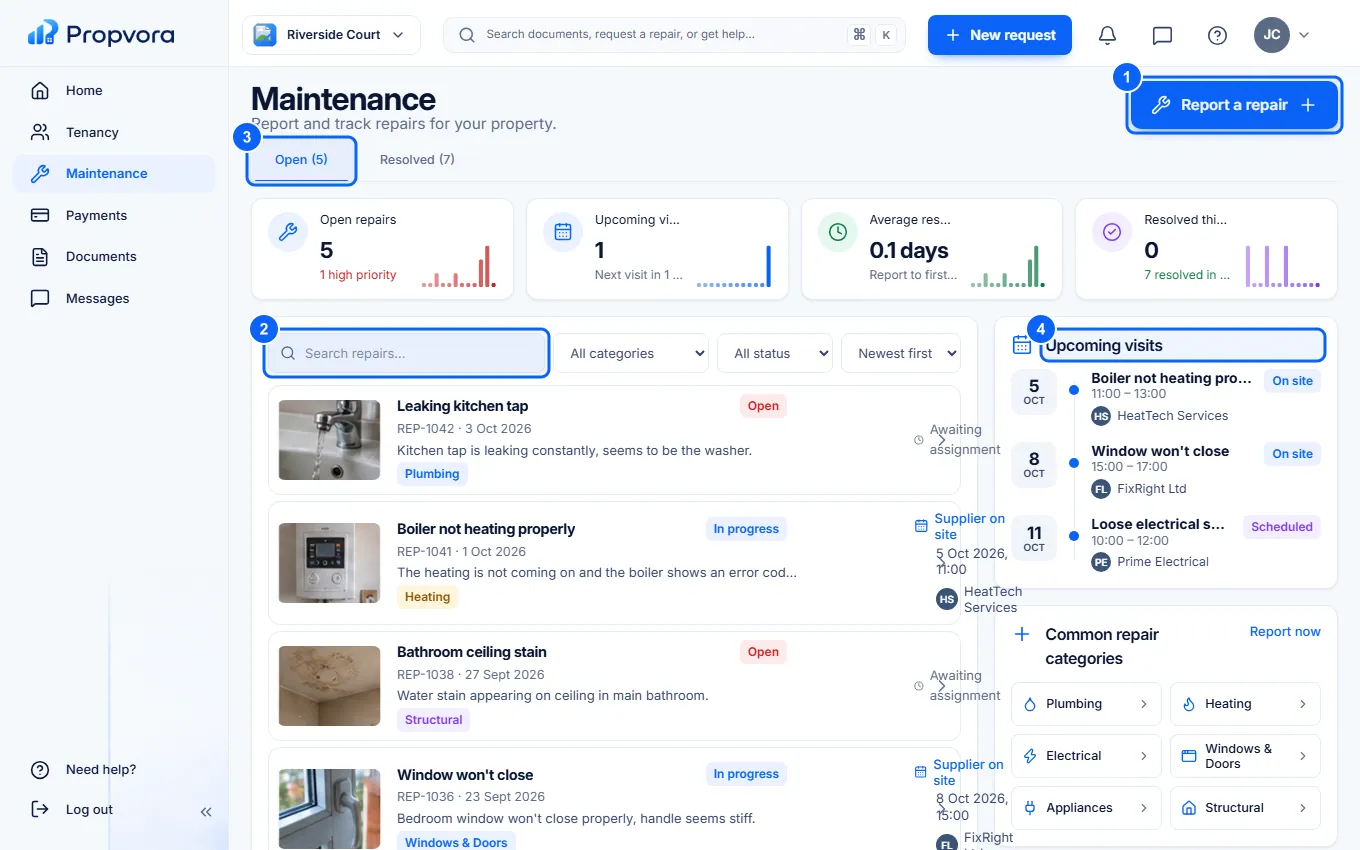 (opens the full-size screenshot)
- Choose Report a repair, pick the category, describe the problem and add photos, then send it.
- Search repairs to find an earlier request.
- Open and Resolved tabs: select a repair to see its progress, visits and messages.
- Upcoming visits: when a contractor is booked to attend.
Rent and payments
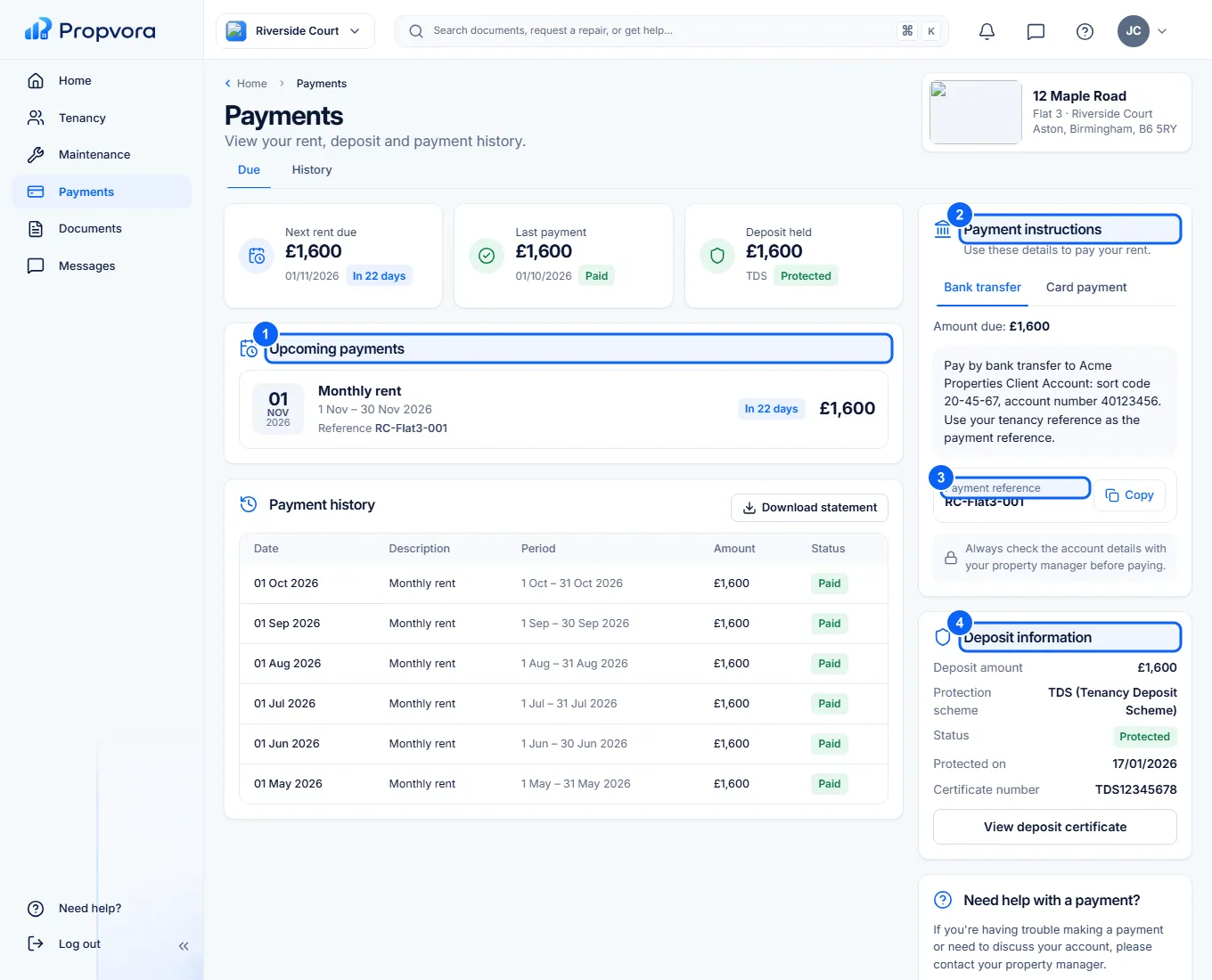 (opens the full-size screenshot)
- Upcoming payments: what is due and when. History lists past payments and lets you download a rent statement.
- Bank transfer: the account details your landlord or agent has shared. Rent is always paid straight to them by bank transfer; Propvora never collects rent.
- Payment reference: copy it with Copy and use it on your transfer so the payment can be matched to your tenancy.
- Deposit information: the amount, the protection scheme and the deposit certificate.
Always check bank details with your property manager before paying, and be wary of any message saying the details have changed. If a payment looks wrong, choose Contact property manager.
Upload a document your team has asked for from Documents, and update your details or ask a question from Messages.