Property manager guides
Verify your identity
A one-off check through Stripe Identity, needed before your workspace publishes rentals or stays. Propvora never sees or stores your document.
- Updated
- Reading time
- 1 min read
To keep the marketplace trustworthy, a workspace owner or admin verifies their identity once before the workspace publishes rental or stay listings. The check is run by Stripe Identity and takes about two minutes. Propvora only stores the outcome, never your document or selfie.
If your workspace already has a verified Stripe payout account, it can publish without this check. Demo workspaces are exempt.
Verify your identity
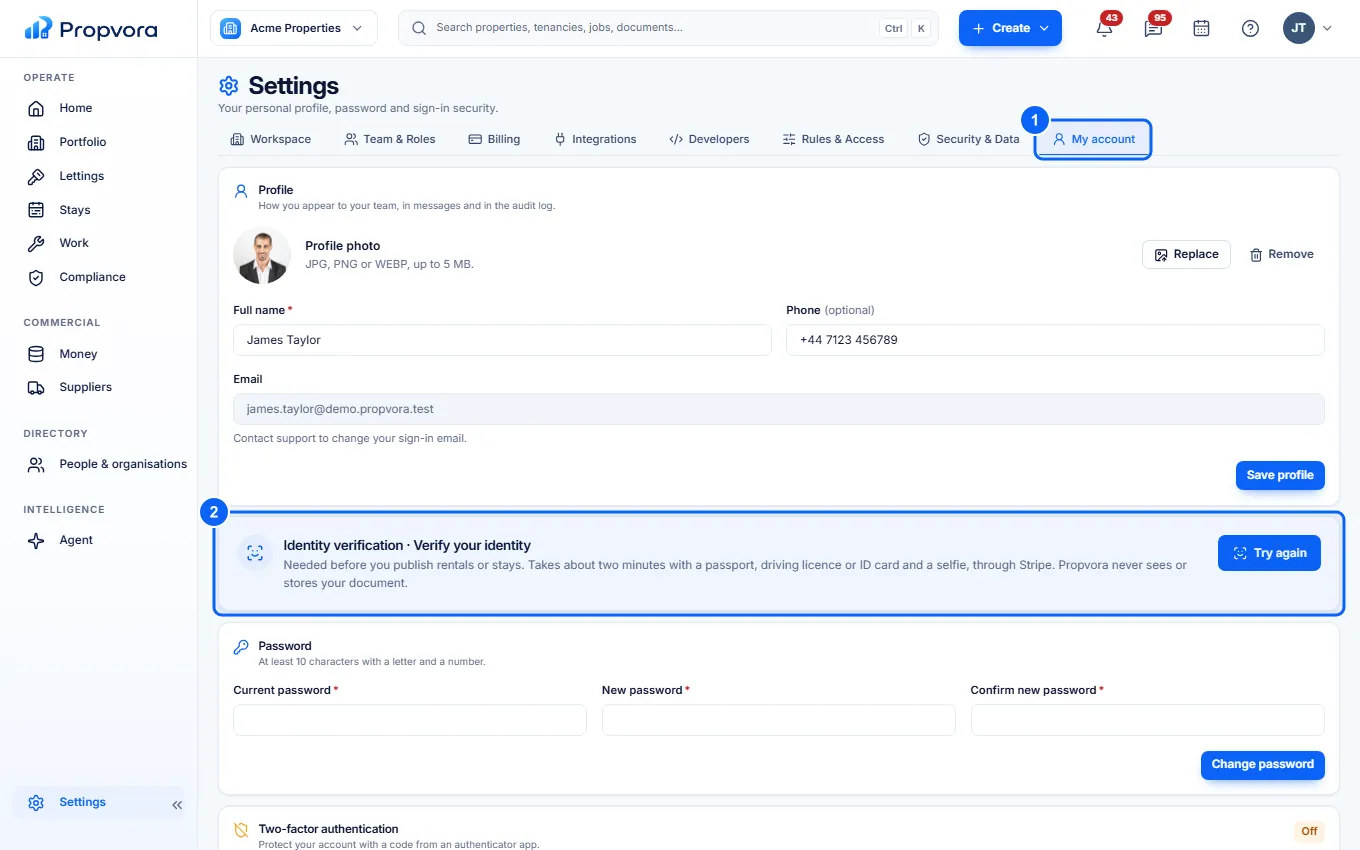 (opens the full-size screenshot)
- Open Settings › My account.
- In Identity verification, choose Verify with Stripe. You need a passport, driving licence or ID card and a device with a camera.
- Follow Stripe's steps to photograph your document and take a live selfie.
- You return to Propvora. The card shows Checking your documents while Stripe checks, which usually takes a few minutes, then Identity verified.
If it does not work
If the card says Verification needs another try, it explains why (for example the document had expired or the selfie did not match) and shows Try again. You must be 18 or over, and documents from some countries are not supported yet.
Suppliers, hosts and affiliates are verified by Stripe when they set up payouts instead. See Setting up payments with Stripe.