Property manager guides
Create a tenancy
Use the three-step tenancy wizard to record the property, tenants, terms, rent and deposit, then review and create the tenancy.
- Updated
- Reading time
- 1 min read
On this page
A tenancy records who lives in a property or unit, on what terms, and what they pay. Once it exists, rent charges are scheduled automatically and the tenancy appears in Money, Compliance, the calendar and the tenant portal.
Step 1: Property & people
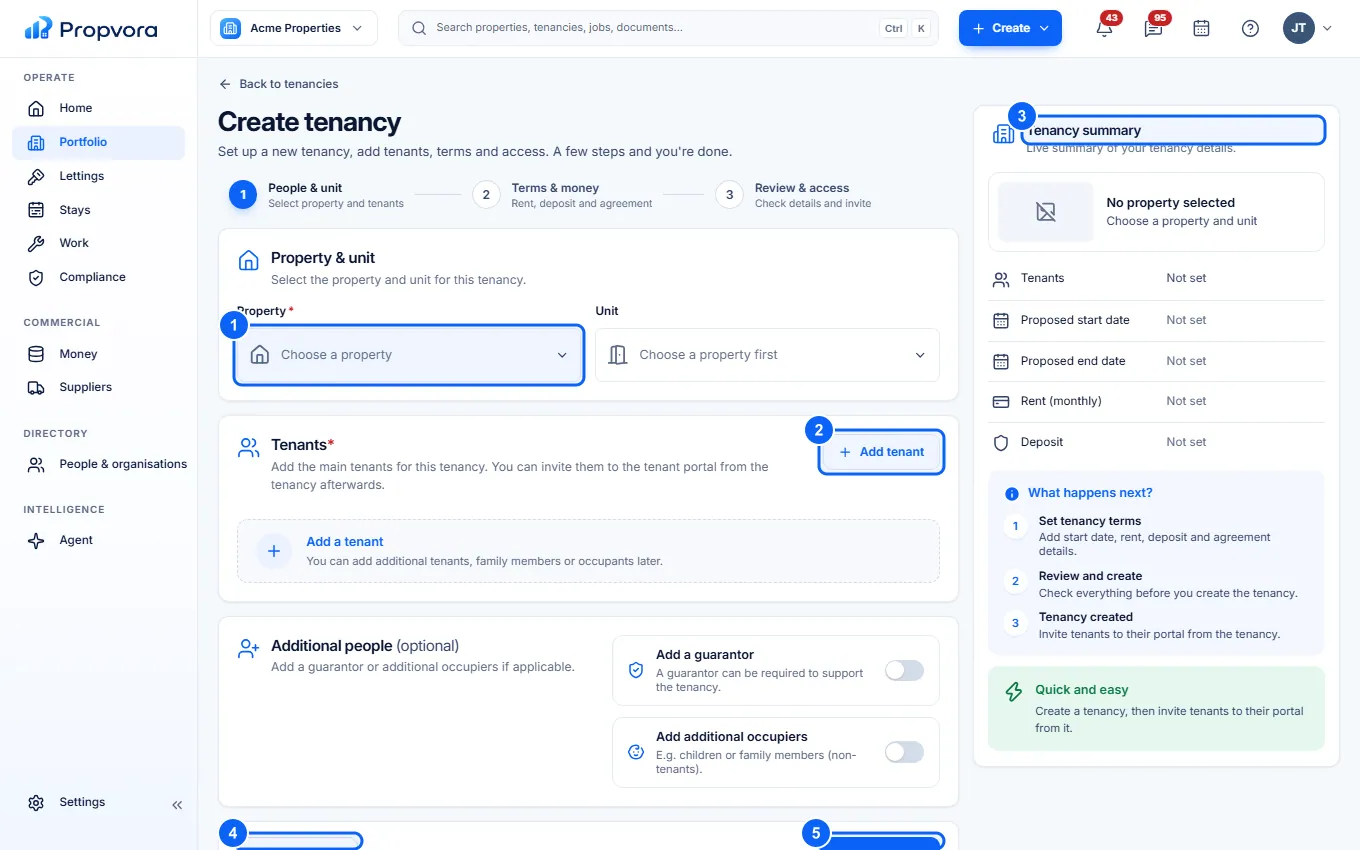 (opens the full-size screenshot)
- Choose the Property, and the Unit if the property has units.
- Choose Add tenant for each tenant. Pick someone from People & organisations or add a new person. Add family members or other occupiers under Additional people (optional).
- Check the Tenancy summary on the right as you go.
- Choose Save draft to finish later.
- Choose Continue.
Step 2: Terms & money
- Under Dates & term, set the Start date, the Tenancy type, the Fixed term and, if needed, the End date.
- Under Rent, set the amount and the Rent due day. Rent charges are scheduled automatically from the start date. If the property has a default rent due day, it is filled in for you.
- Under Deposit, record the amount, the Protection scheme and whether it is Paid. Propvora warns you if the deposit is above the 5-week cap.
- Add a Break clause or Special terms if they apply, and choose the Tenancy status.
Step 3: Review
Check every section, use Edit to go back to a step, then choose Create tenancy.
Next, send the agreement for signature and prepare the inventory: see Tenancy paperwork.