Property manager guides
Compliance: certificates, inspections and reports
Record certificates such as gas safety, EICR and EPC, see what is due or expired, schedule inspections and generate reports.
- Updated
- Reading time
- 1 min read
Compliance keeps every certificate, check and licence for your portfolio in one register, with expiry dates and reminders. What is required depends on the property type and country; Propvora's reminders help you stay organised but are not legal advice.
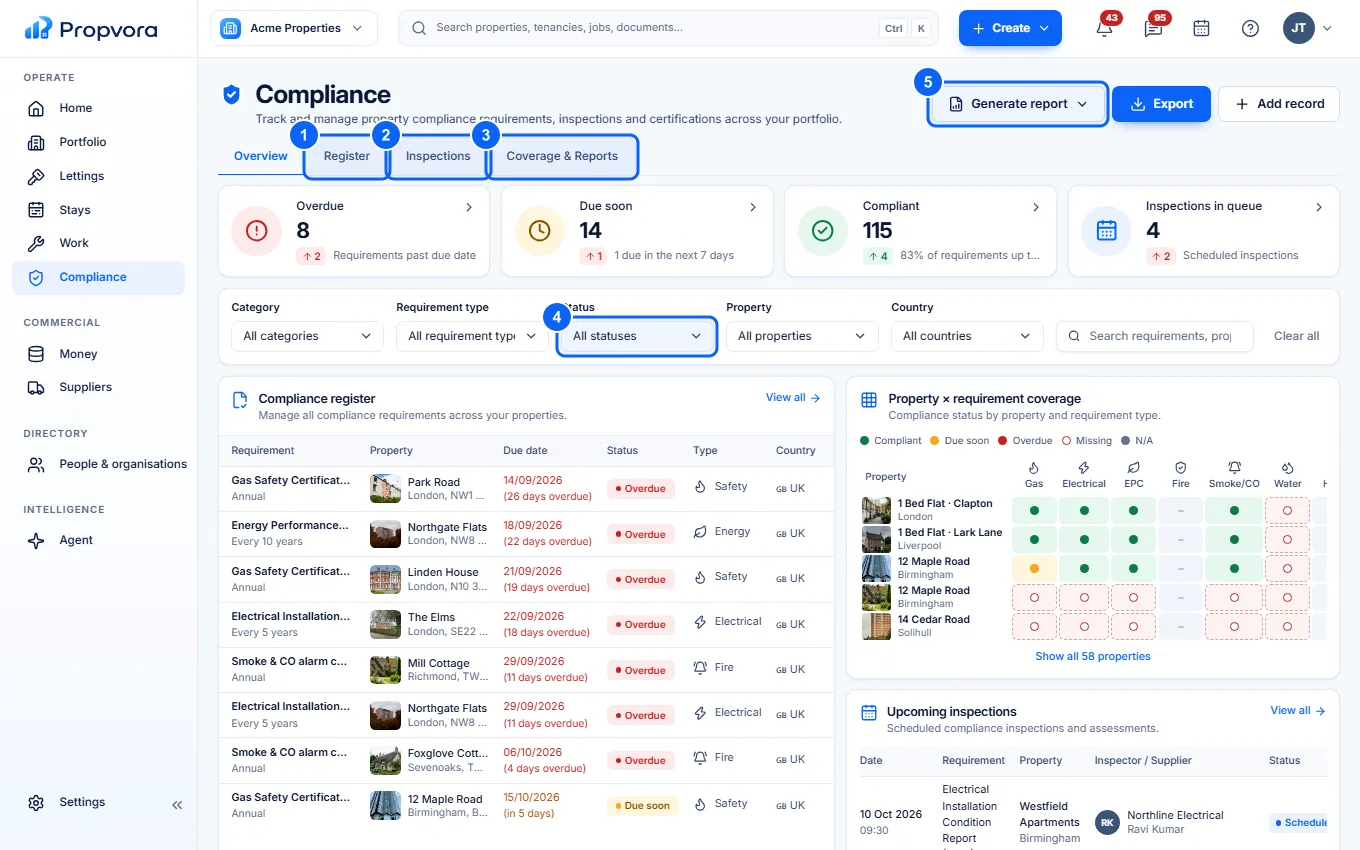
Find your way around Compliance
 (opens the full-size screenshot)
- Register: every compliance record with its status and expiry.
- Inspections: upcoming and past inspections.
- Coverage & Reports: which properties have each requirement covered, and reports to share.
- Status and the other filters (Category, Requirement type, Property, Country): narrow the register, for example to records due soon.
- Generate report: create a compliance report for the filtered records.
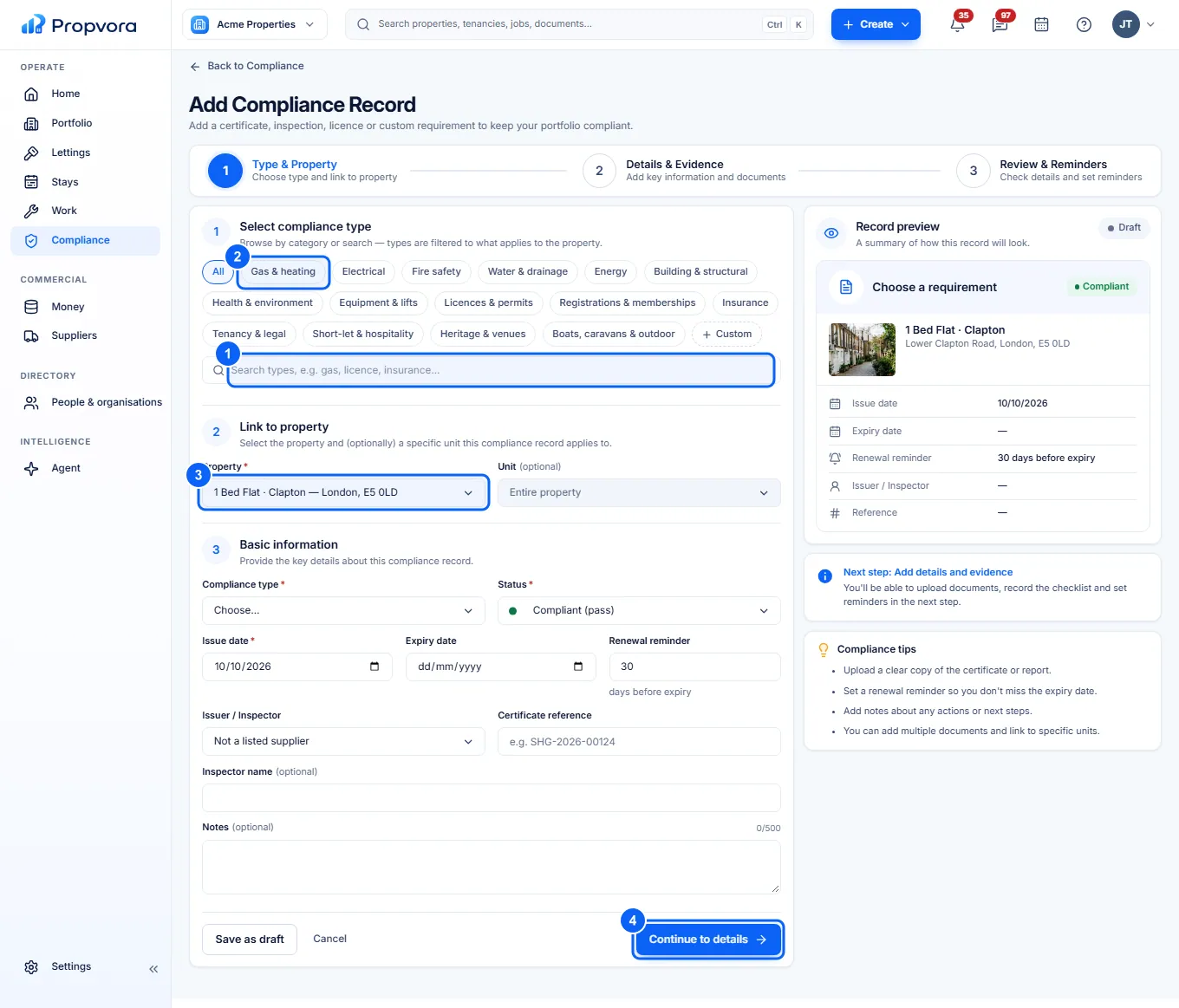
Add a compliance record
 (opens the full-size screenshot)
- Search for the certificate in Search compliance types, or ...
- ... browse a category such as Gas & heating, Electrical or Fire safety.
- Choose the Property (and Unit if needed).
- Choose Continue to details and enter the Status, Issue date, Expiry date, Renewal reminder, issuer and Certificate reference, then save.
Expiring and expired records appear on Home, in the attention queue and as notifications. The Agent routine Certificates expiring without renewal work can watch for them for you (see Use the Agent).