Property manager guides
Stays: listings, reservations and calendar
Publish short-stay listings, take direct bookings with Payment Protection and manage arrivals, departures and availability.
- Updated
- Reading time
- 1 min read
On this page
Stays is for short-stay and holiday lets. Guests find your listings on the Propvora marketplace and book with Payment Protection; you manage availability, reservations and arrivals here.
Find your way around Stays
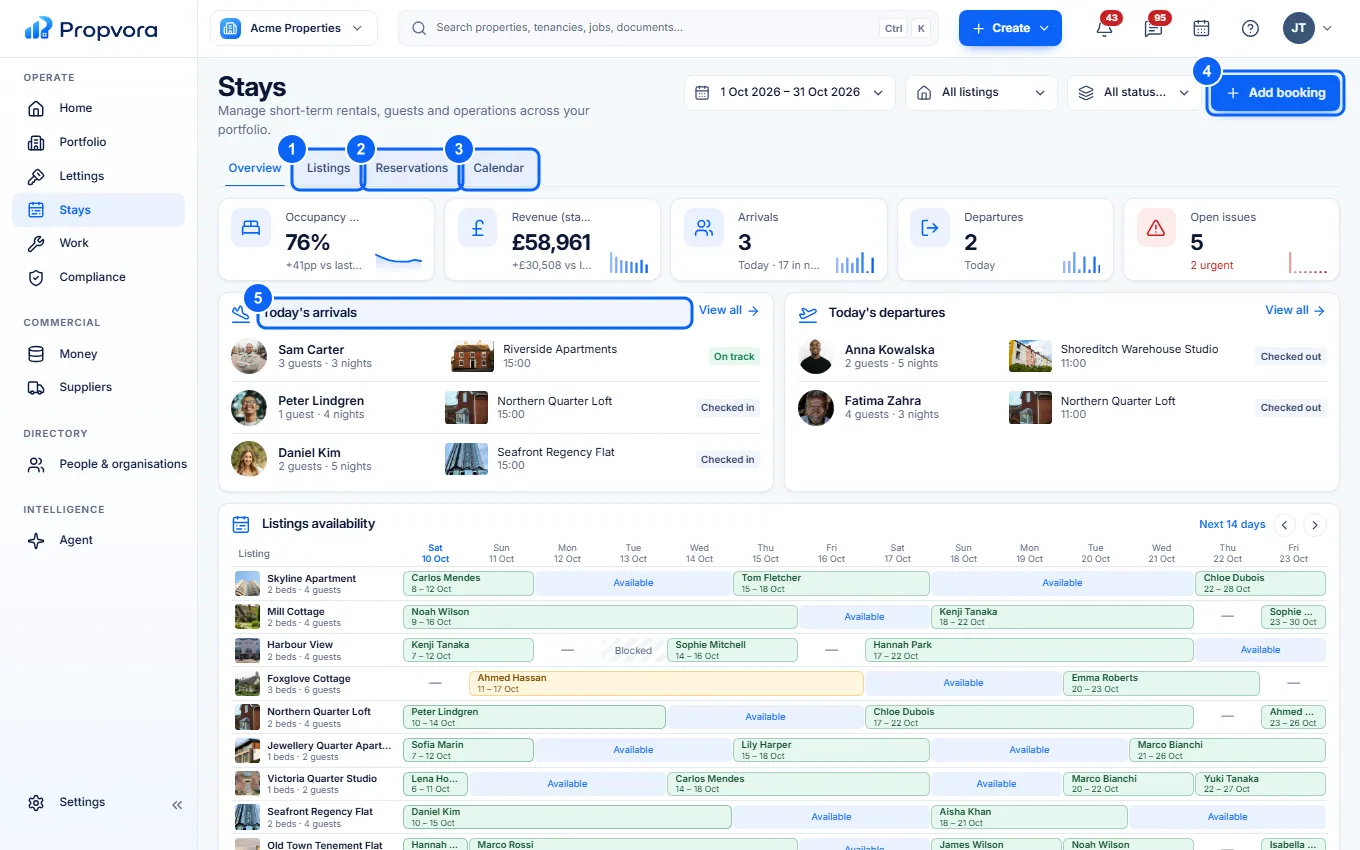 (opens the full-size screenshot)
- Listings: your stay listings and their status.
- Reservations: every booking. Select one to see the guest, dates, payment and messages.
- Calendar: availability across listings.
- Add booking: record a booking you took elsewhere, so the dates are blocked.
- Today's arrivals and Today's departures: who is checking in and out today.
Publish a stay
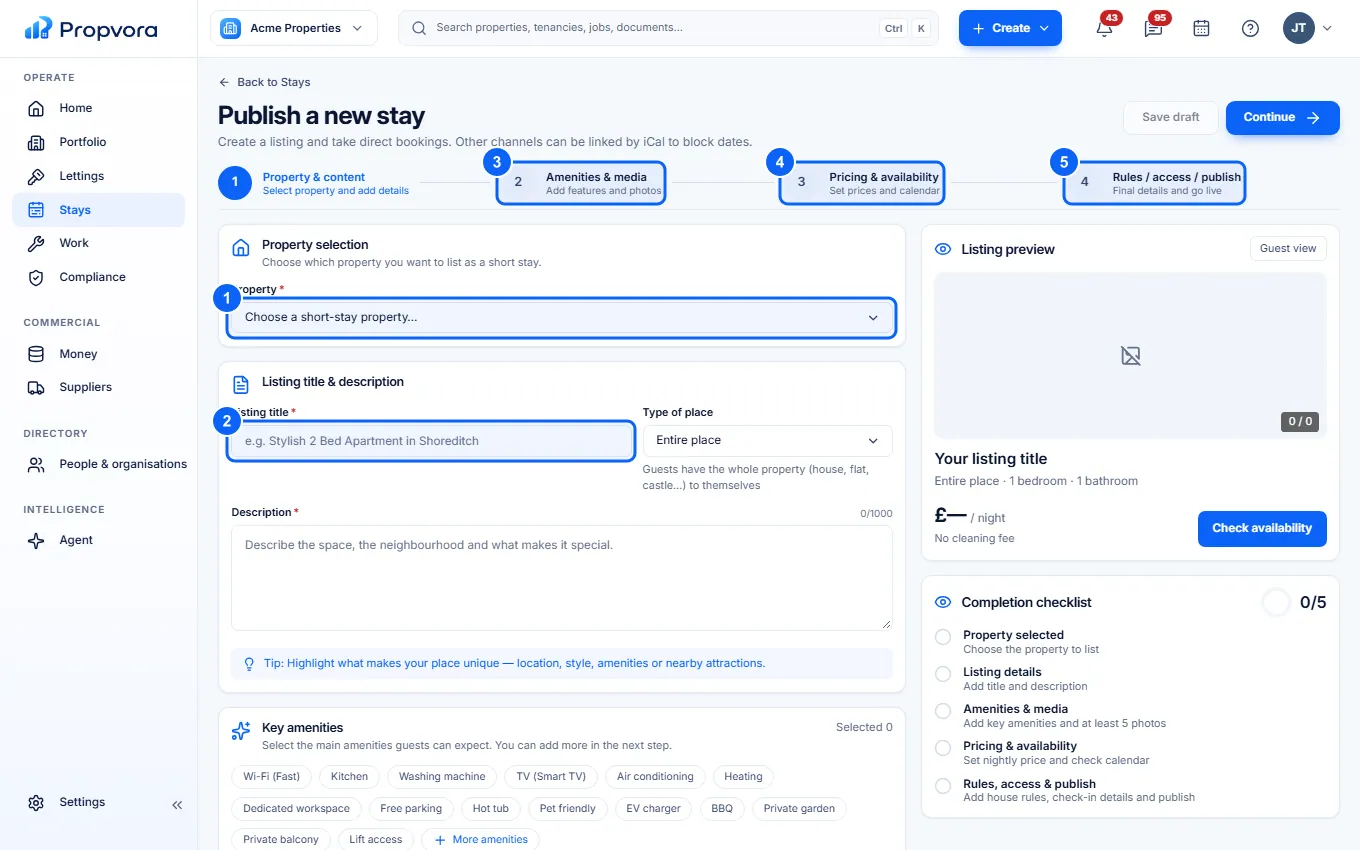 (opens the full-size screenshot)
- Property & content: choose the Property and type of place.
- Write the Listing title and Description.
- Amenities & media: pick amenities such as Wi-Fi, kitchen or parking and upload photos.
- Pricing & availability: set nightly prices and open your calendar.
- Rules / access / publish: house rules, check-in details and going live.
Fees for stays
The host commission depends on your plan and is deducted from the payout; bookings imported from other channels by calendar sync carry no commission. Guests pay a 1% service fee and card processing at cost, shown before they book. See What fees you pay.