Property manager guides
Money: rent, arrears, invoices, bills and deposits
Track rent and arrears, record payments, raise invoices and bills, keep a deposits register and export reports.
- Updated
- Reading time
- 1 min read
Money shows what is due, what has been paid and what is overdue across your portfolio, with invoices, bills and deposits alongside. Rent is paid by tenants directly to the landlord or agent: Propvora never holds rent or deposits.
Rent, arrears and deposits
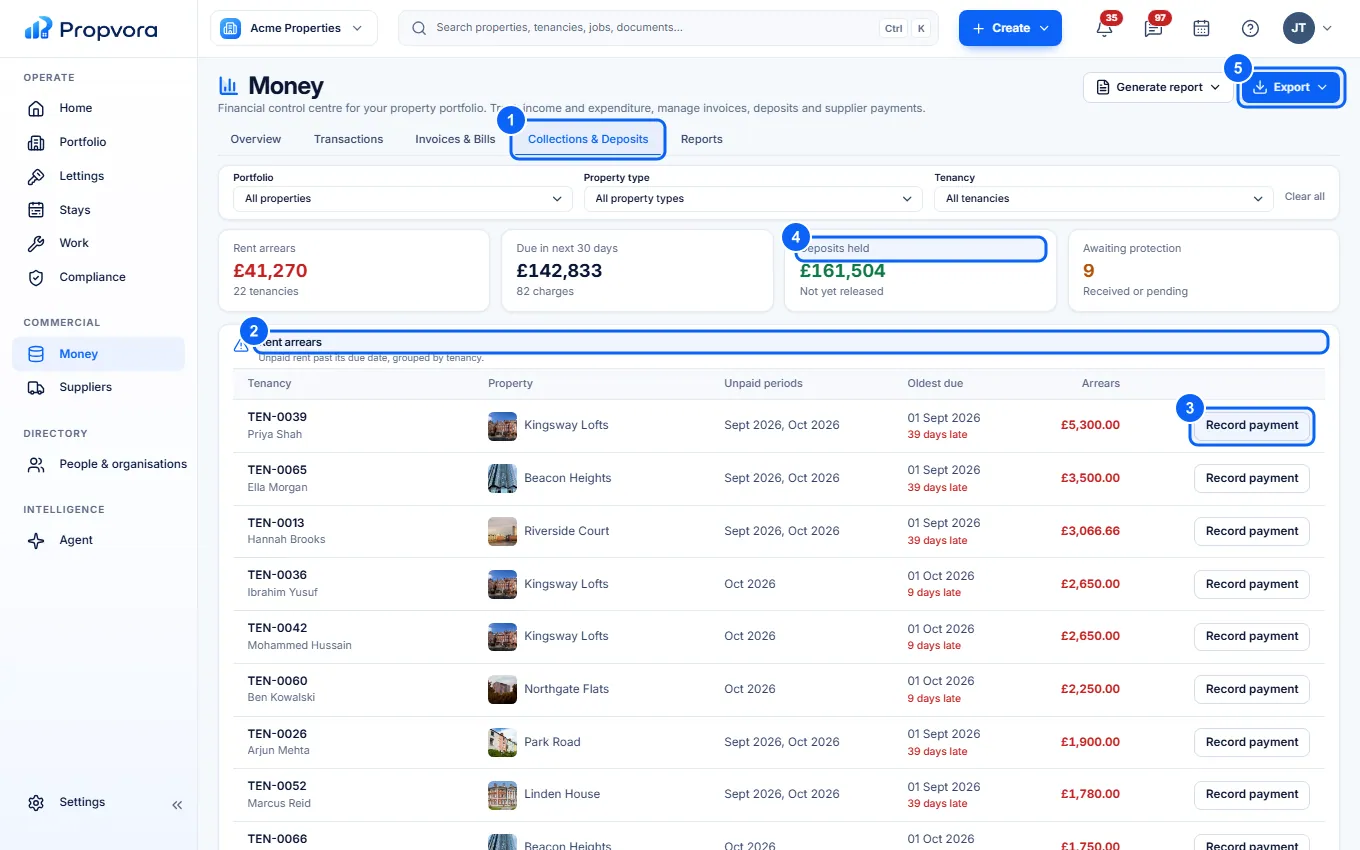 (opens the full-size screenshot)
- Open Collections & Deposits.
- Rent arrears: every tenancy behind on rent, with the amount and days overdue.
- Record payment: record a rent payment you received by bank transfer, so the balance updates.
- Deposits held and Awaiting protection: deposit totals. The Deposits register further down lists each deposit with its scheme and status.
- Export: download the filtered list.
The other tabs are Overview, Transactions, Invoices & Bills and Reports. Tenants pay rent straight to you by bank transfer: add your bank details in Settings › Billing › Rent by bank transfer and tenants see them, with a reference, in their portal. Propvora never collects rent; record the payment here when it reaches your account.
Raise an invoice or bill
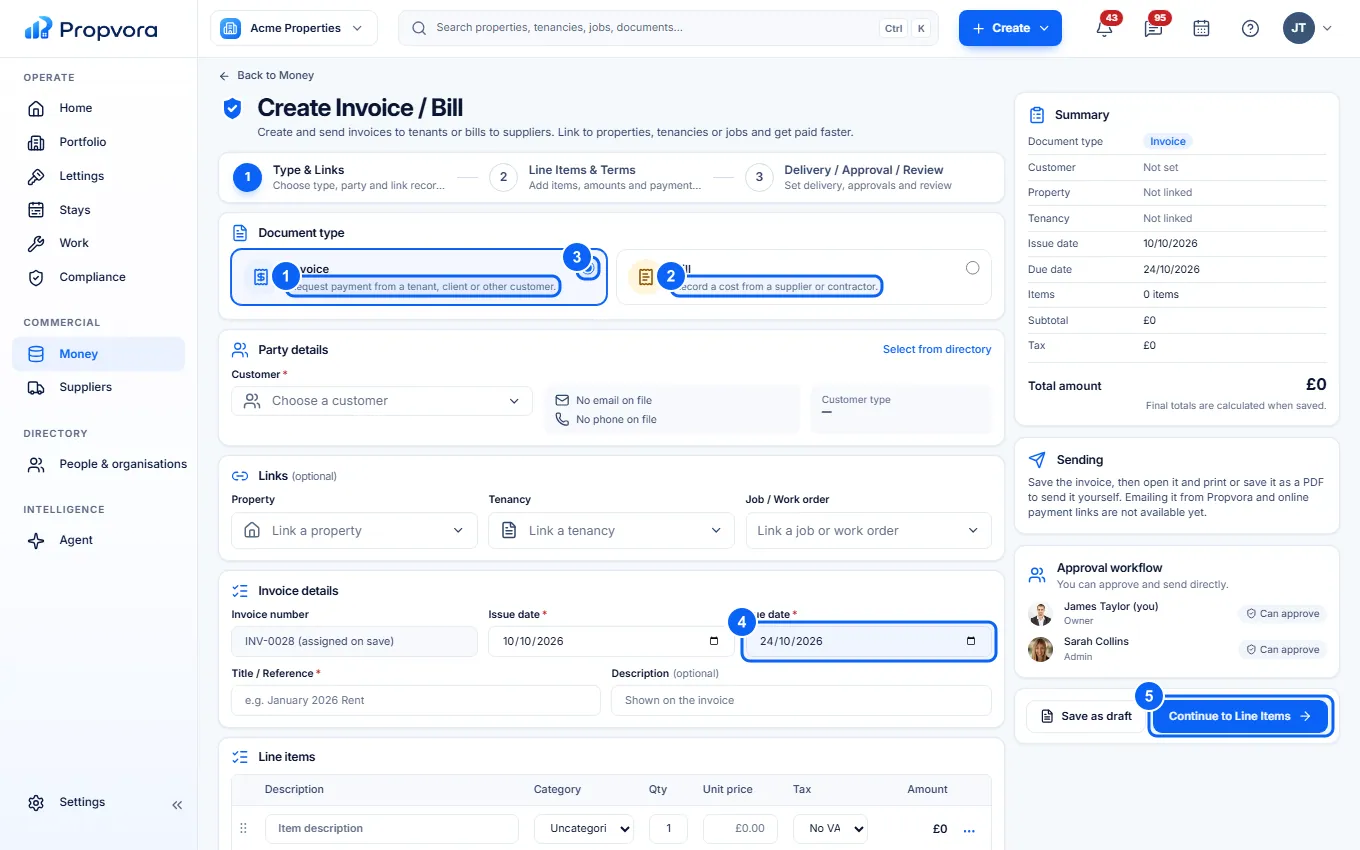 (opens the full-size screenshot)
- Choose Invoice to request payment from a tenant, client or other customer, or ...
- ... Bill to record a cost from a supplier or contractor.
- Choose the Customer (or supplier) and optionally link a Property, Tenancy or Job / Work order.
- Set the Issue date, Due date and Title / Reference.
- Choose Continue to Line Items, add each item, then review the summary and how it is sent.