Property manager guides
Find suppliers and request quotes
Keep your own supplier list, search the Propvora marketplace, request quotes or book services with Payment Protection.
- Updated
- Reading time
- 1 min read
On this page
Suppliers holds the contractors you already use and the Propvora marketplace of verified suppliers. You can request quotes, post a job for suppliers to bid on, or book a fixed-price service.
Search the marketplace
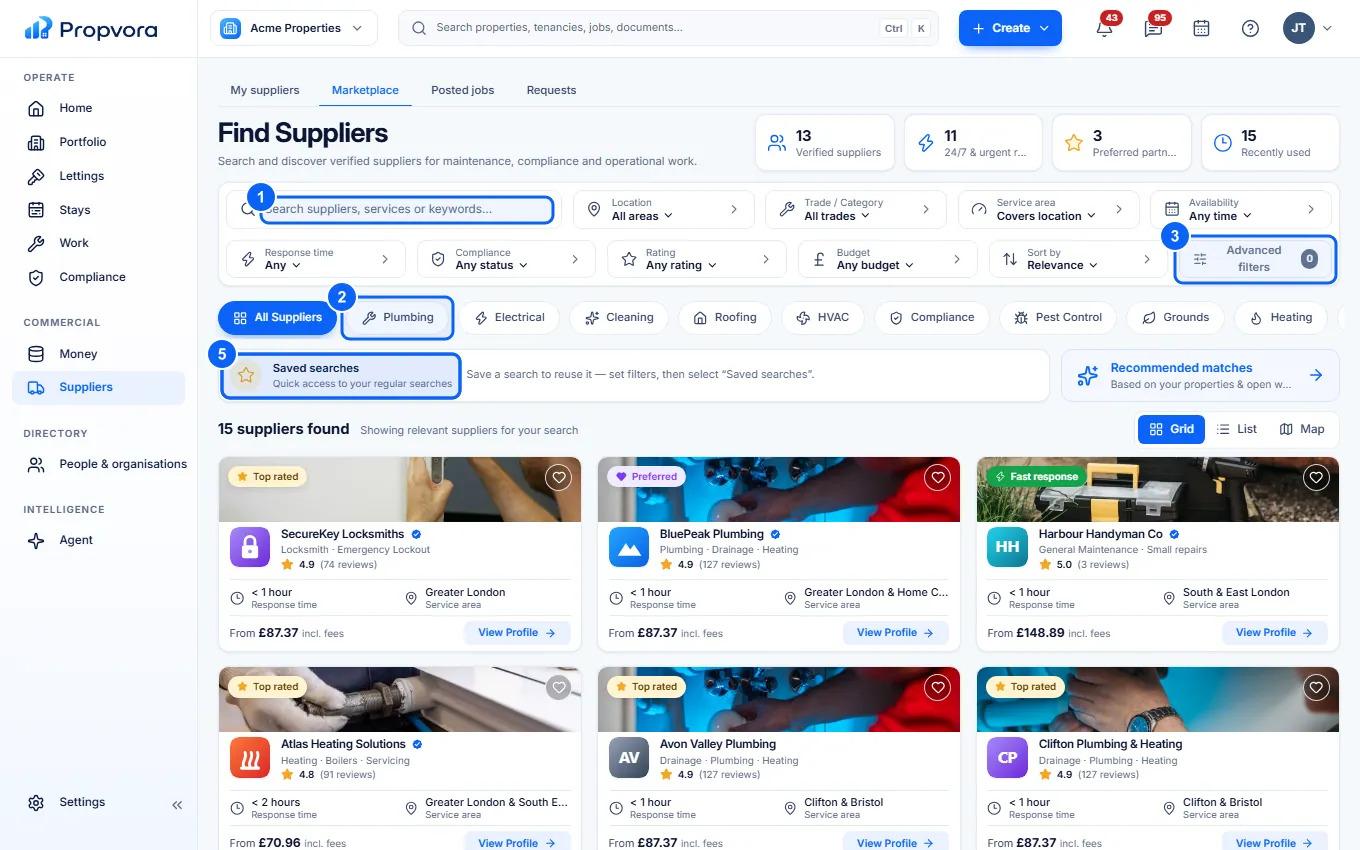 (opens the full-size screenshot)
- Search by supplier, service or keyword, and set a location.
- Pick a trade such as Plumbing, Electrical or Emergency 24/7. The marketplace covers 39 trade and professional service categories, and search also understands subcategories and common synonyms. Category pages show what accreditations to ask for and a typical UK price (a guide only; quotes vary).
- Advanced filters: service area, availability, response time, compliance, rating and budget.
- Save a supplier to your list for later.
- Save current search to come back to it.
Select a supplier to see their services, reviews, gallery, availability, insurance and verification. Badges only describe the specific check named on them. Paid placements are labelled Sponsored.
Request a quote or book a service
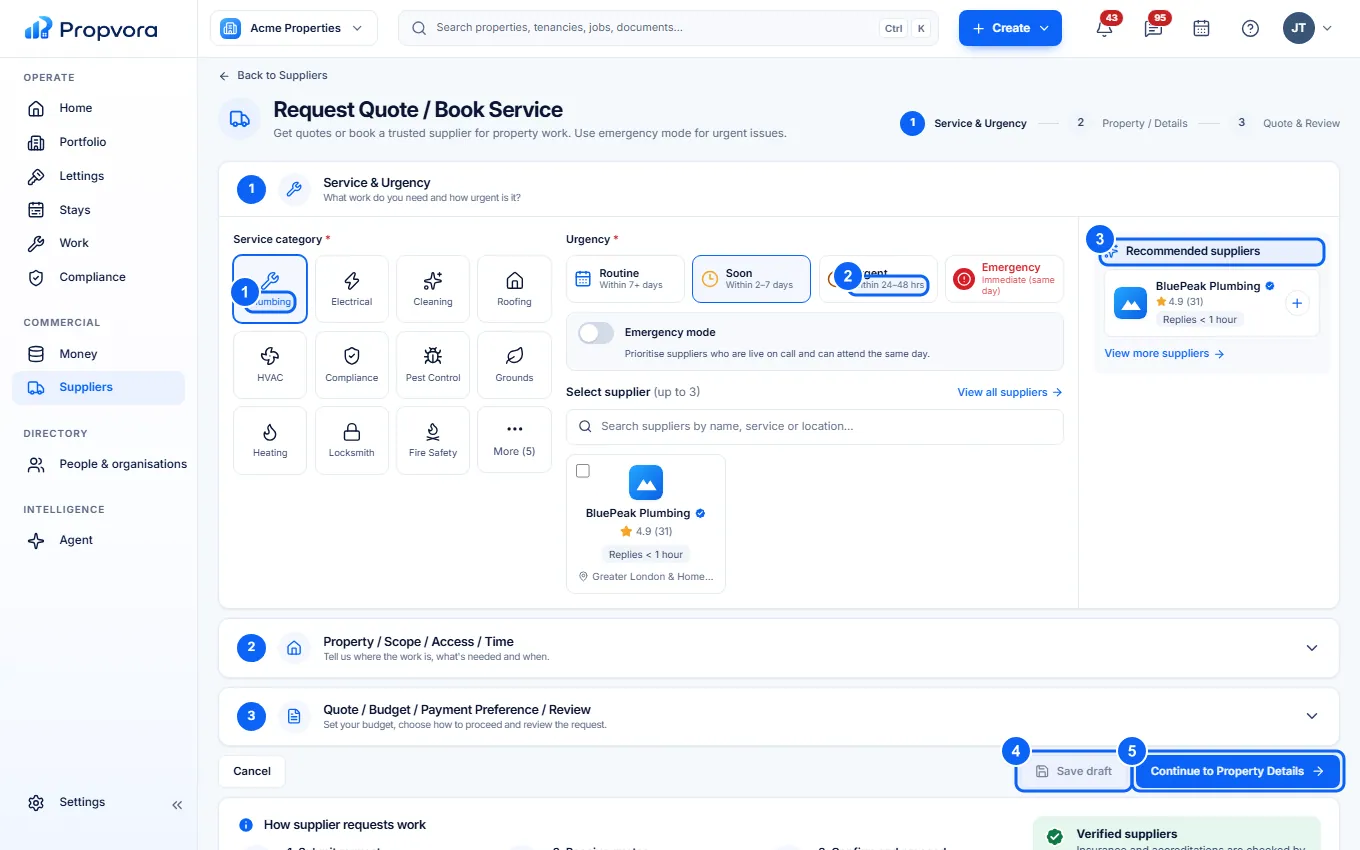 (opens the full-size screenshot)
- Choose the service you need.
- Choose how urgent it is: Routine, Soon, Urgent or Emergency. Emergency mode shows suppliers who respond same day.
- Add suppliers from Recommended suppliers, or leave it open for suppliers to quote.
- Choose Save draft to finish later.
- Choose Continue to Property Details, then add the property, scope, access and timing, and finally your budget and payment preference.
Fees and Payment Protection
When you pay for marketplace work you pay the supplier's price plus a 1% Propvora Service Fee and card processing at cost, all shown before you pay. The supplier's payment is only released when the release rules in your order are met. See How Payment Protection works.
Your own suppliers
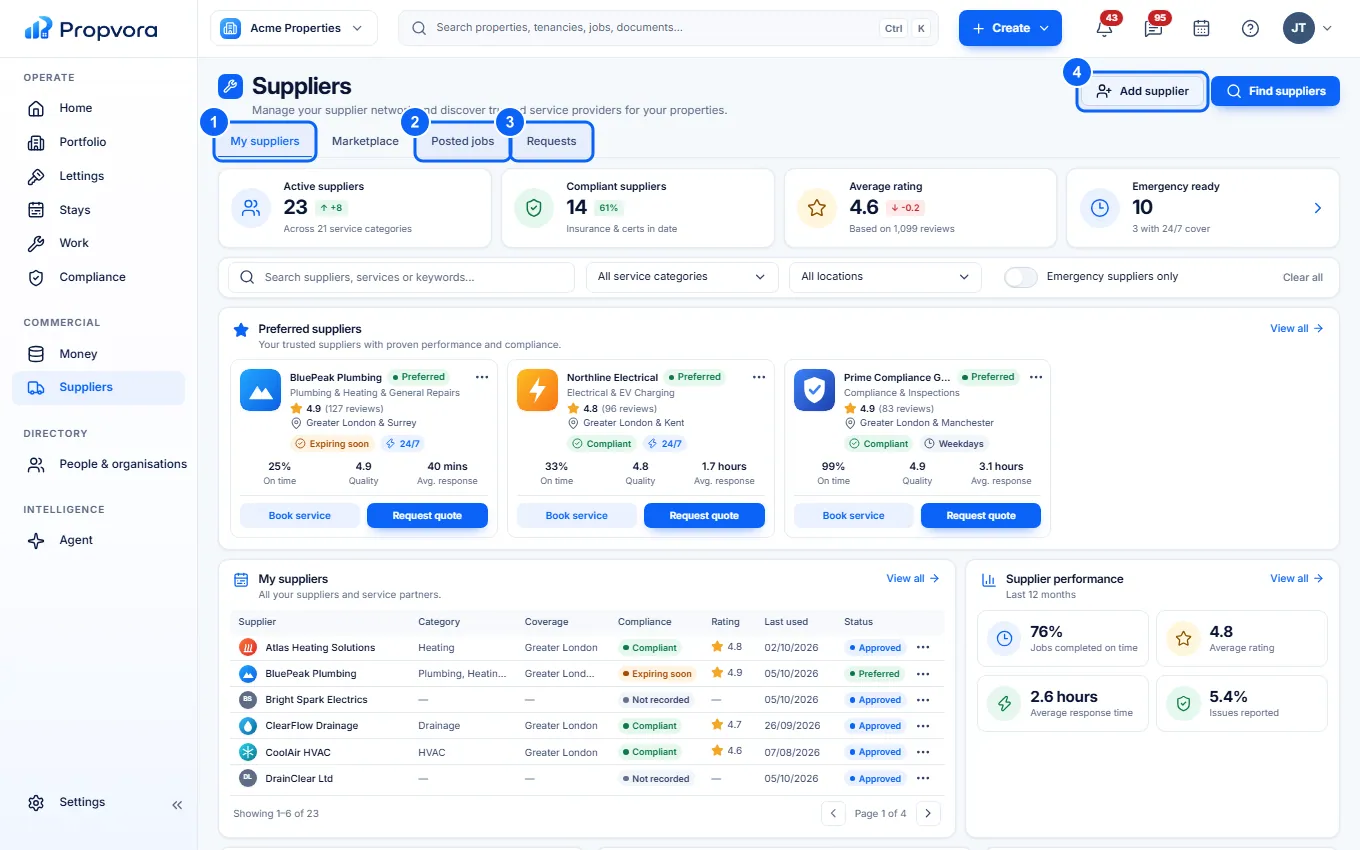 (opens the full-size screenshot)
- My suppliers: your preferred suppliers and their performance.
- Posted jobs: jobs you have posted for suppliers to bid on.
- Requests: your quote requests and their replies.
- Add supplier: add a contractor you already work with. They can use the supplier portal for your jobs.