Portals
Supplier portal guide
For contractors invited by a property team: see your assigned jobs, send quotes and evidence, upload invoices and documents and message the team.
- Updated
- Reading time
- 1 min read
A property team can invite the contractors it already works with to a supplier portal. It shows the jobs that team has assigned to you. If you want your own business workspace with your own customers, team and marketplace profile, set up a supplier workspace instead.
Your jobs
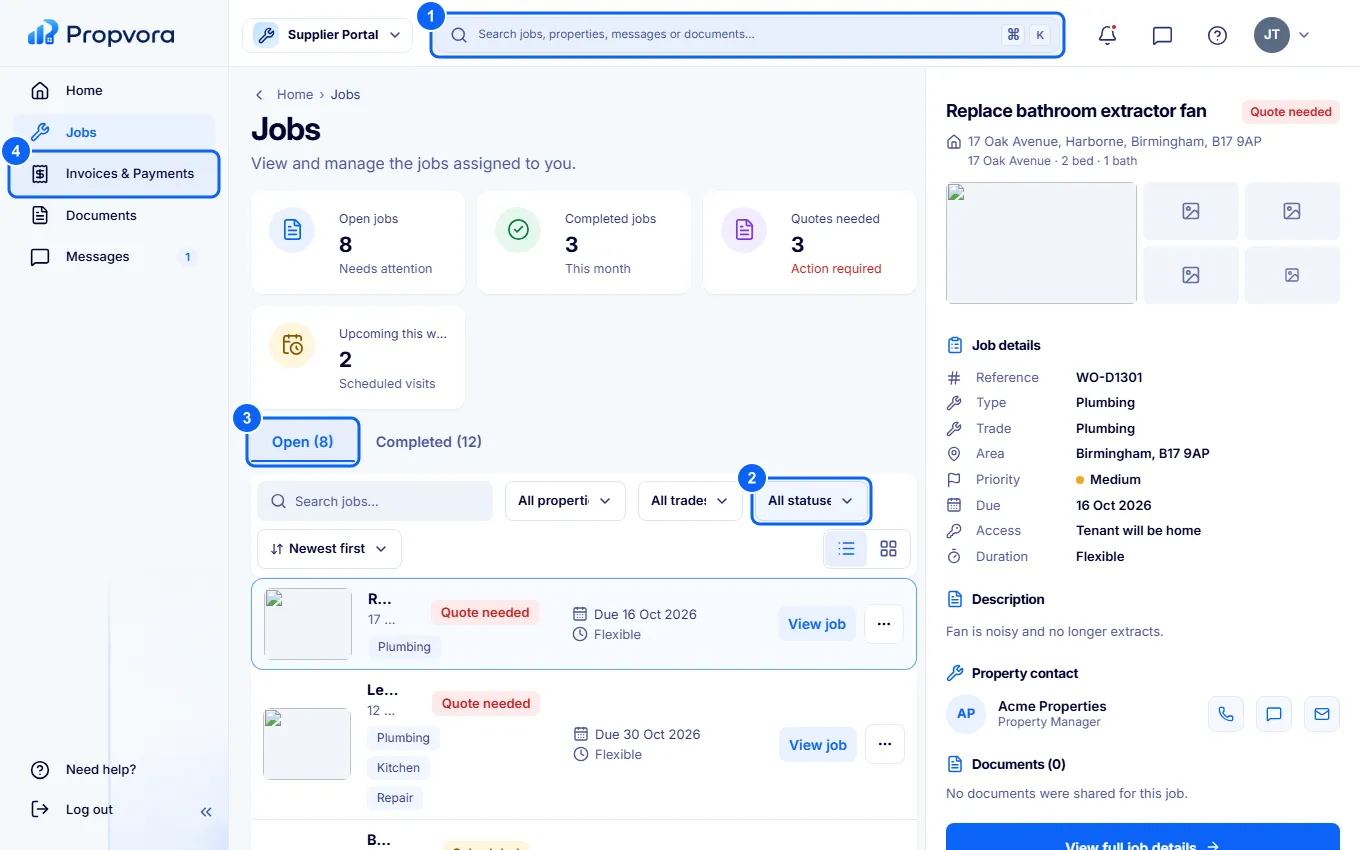 (opens the full-size screenshot)
- Search jobs by title or address.
- Filter by property, trade or status (Quote needed, Scheduled, In progress and more), and sort by date.
- Open and Completed tabs. Select a job for its description, property contact, documents and invoice.
- Invoices & Payments: your invoices and what has been paid.
From a job you can send a quote when one is needed, add photos and completion evidence, and message the team about access or timing.
Invoices and documents
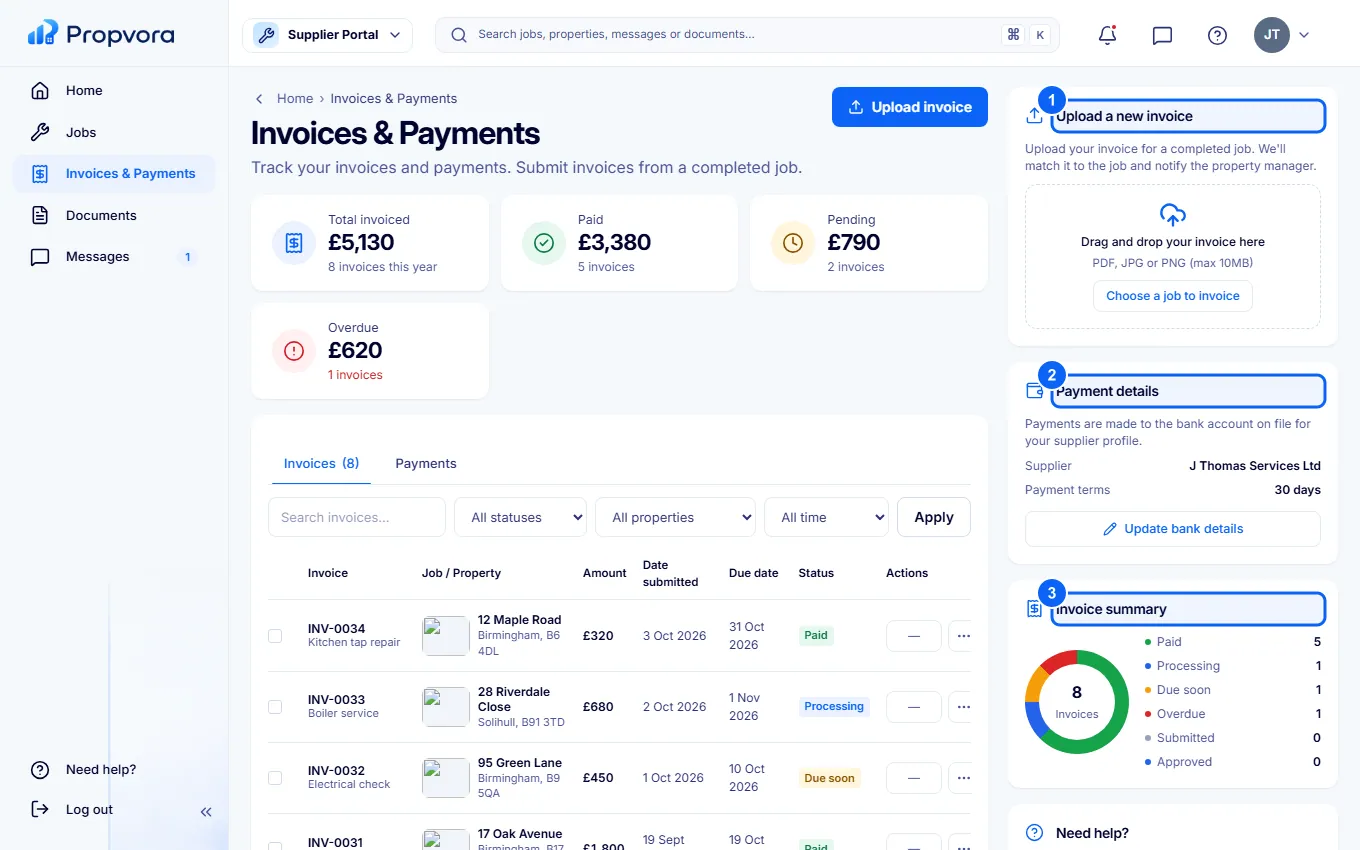 (opens the full-size screenshot)
- Upload a new invoice for a completed job.
- Payment details: how the team pays you.
- Invoice summary: what is pending and what has been paid.
Keep your insurance and certificates current in Documents, where any document requests from the team are listed with their status.