Supplier guides
Finance: invoices, payouts and your plan
Set up payments with Stripe, invoice customers, follow payouts and understand the commission on your plan.
- Updated
- Reading time
- 1 min read
On this page
Finance shows what you have earned, what you are owed and what is on its way to your bank.
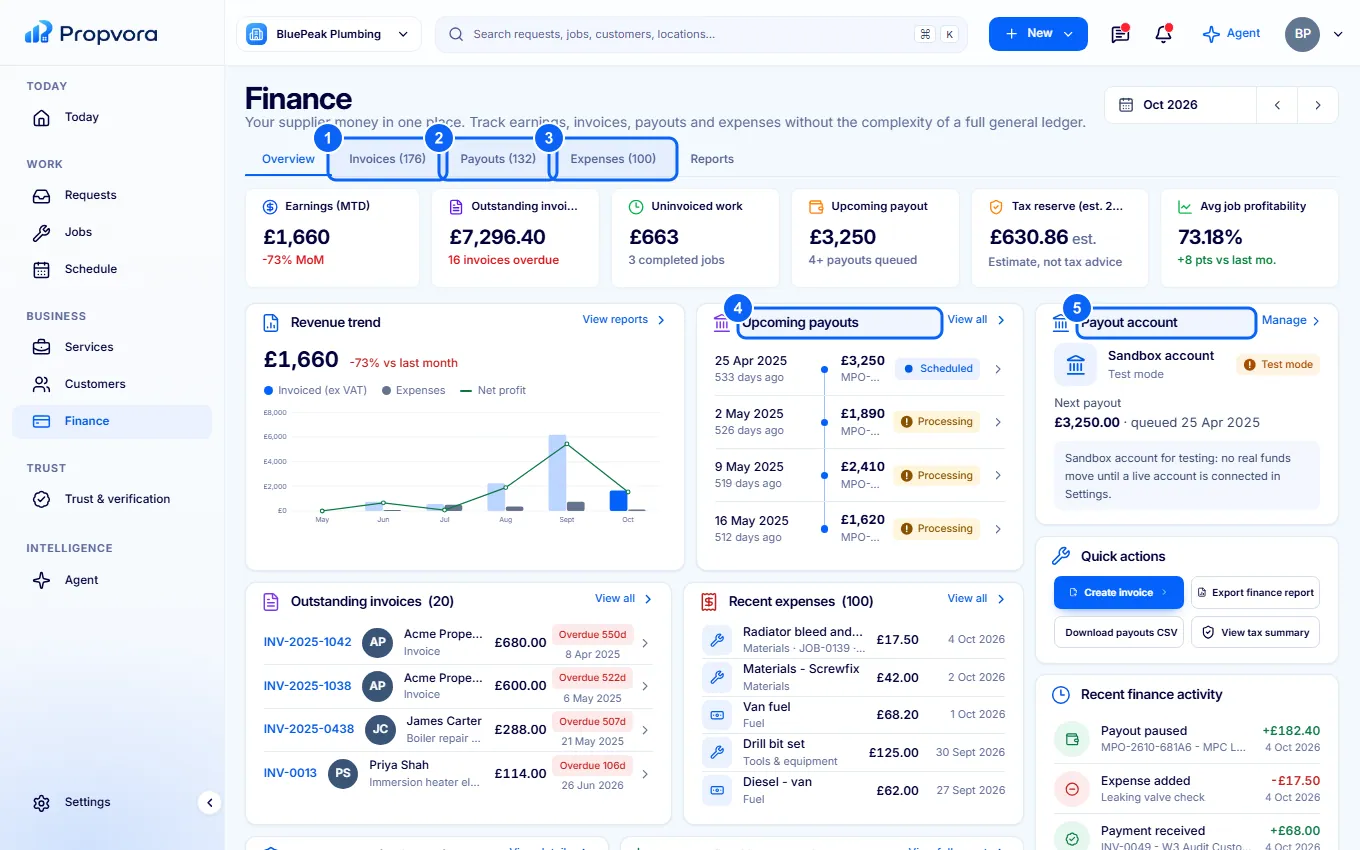
Find your way around Finance
 (opens the full-size screenshot)
- Invoices: every invoice and its status. Create one from New › New invoice in the top bar.
- Payouts: each payout from Stripe to your bank.
- Expenses: costs you record against jobs.
- Upcoming payouts: money released and on its way.
- Payout account: the state of your Stripe payment account.
Reports and Tax summary (estimates) help at tax time; they are estimates, not tax advice.
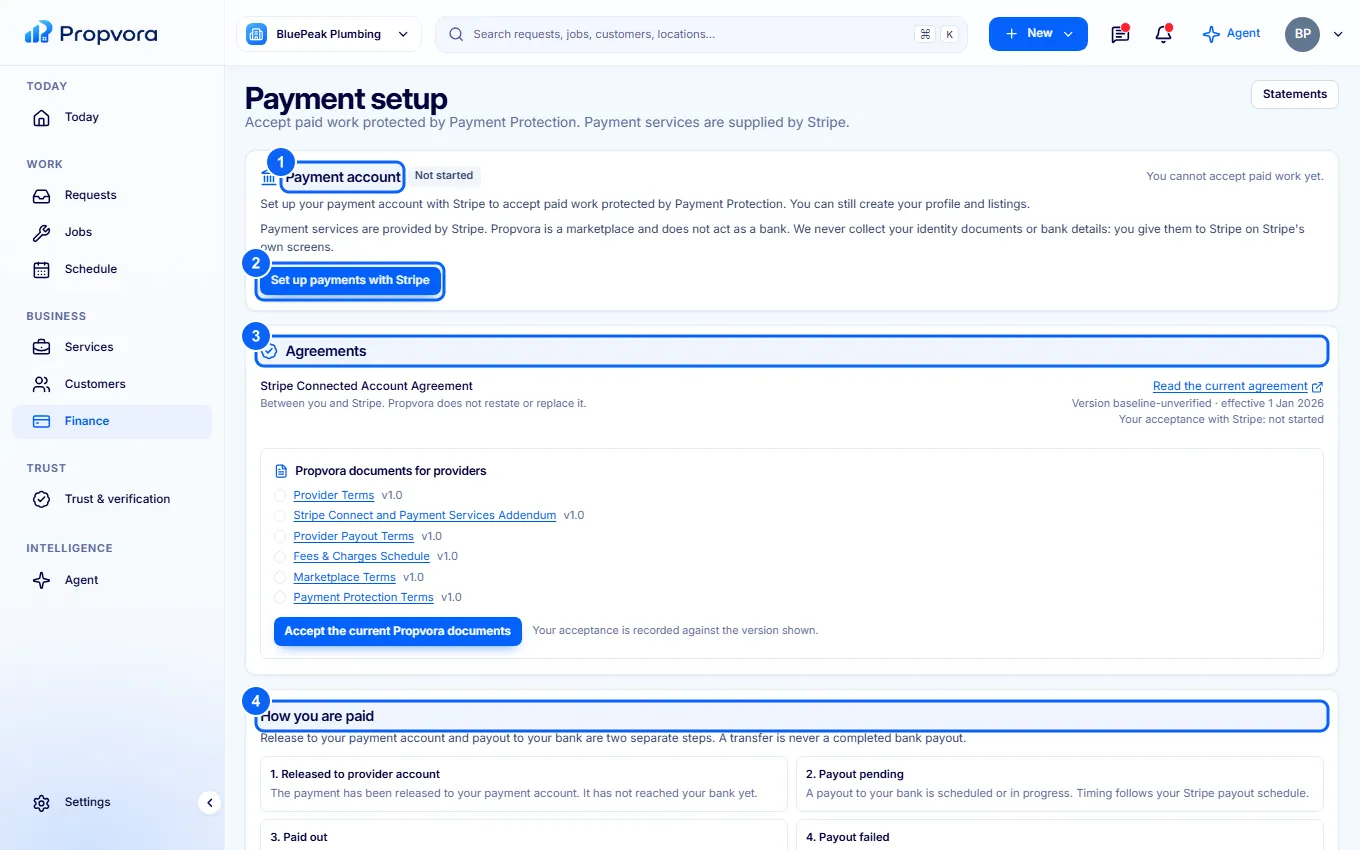
Set up payments with Stripe
 (opens the full-size screenshot)
- Payment account shows whether your Stripe account can take payments and what Stripe still needs.
- Choose Set up payments with Stripe. You give your identity and bank details to Stripe on its own screens; Propvora never sees them.
- Under Agreements, review and accept the current Propvora documents for providers.
- How you are paid explains release and payout timing.
You can create a profile and services before this, but you cannot accept paid marketplace work until your account can take payments.
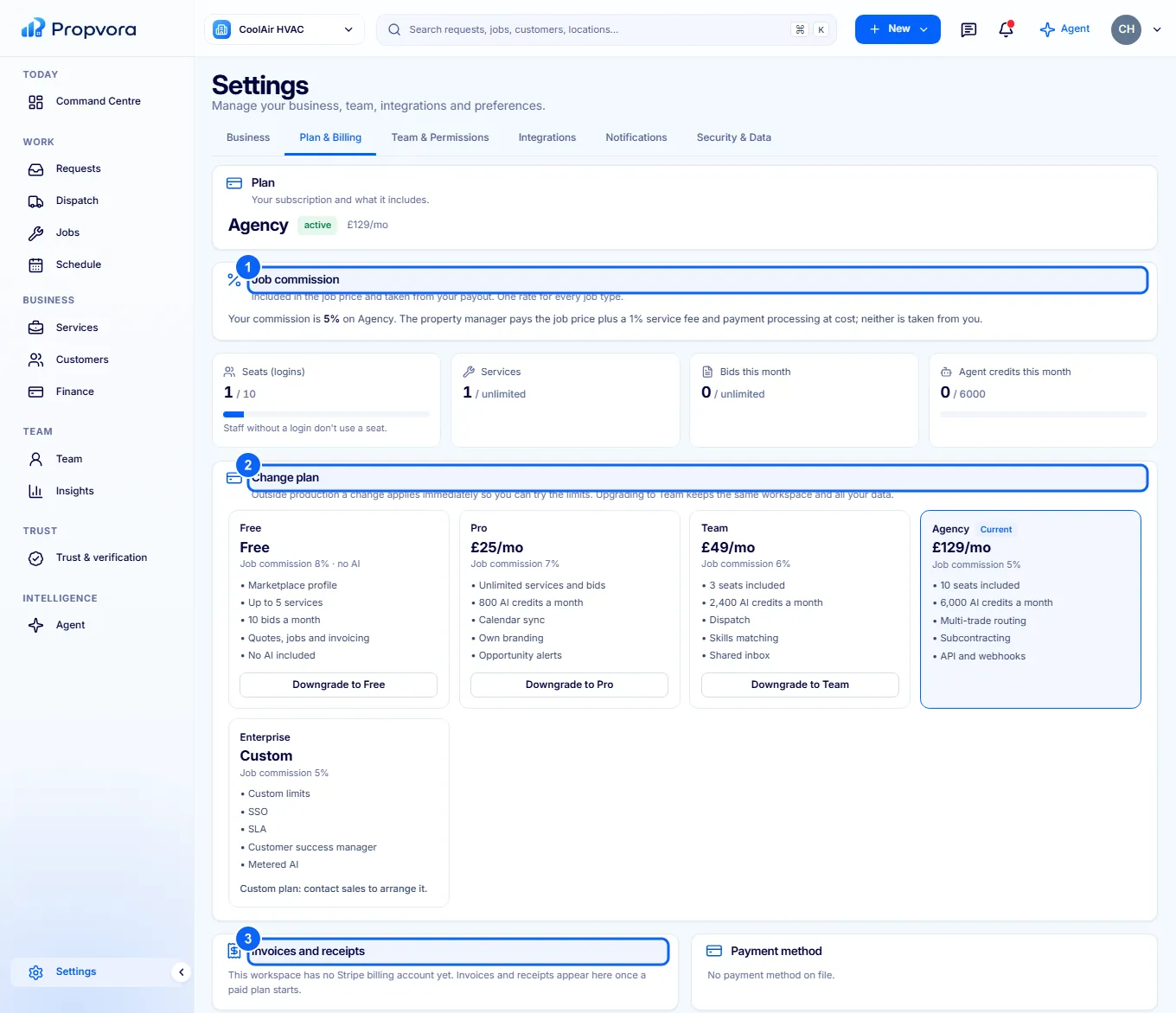
Commission and plans
Propvora deducts a commission from the job price when the payment is released, set by your plan: Free 8%, Pro 7%, Team 6%, Agency 5%, Enterprise 5%. One rate covers every job type, and it is returned in full if the job is refunded before release. Buyers pay their own 1% Propvora Service Fee on top of your price.
 (opens the full-size screenshot)
- Job commission: your current rate and what you would pay on another plan.
- Change plan: move between Free, Pro (£25 a month), Team (£49) and Agency (£129).
- Invoices and receipts: your subscription invoices. Payment method and Cancellation and downgrade rules are on the same tab.