Supplier guides
Customers
Keep your customers, their sites and job history in one place, and message them directly.
- Updated
- Reading time
- 1 min read
Customers lists everyone you have worked for, from marketplace customers to clients you added yourself, with their sites, jobs, invoices and messages.
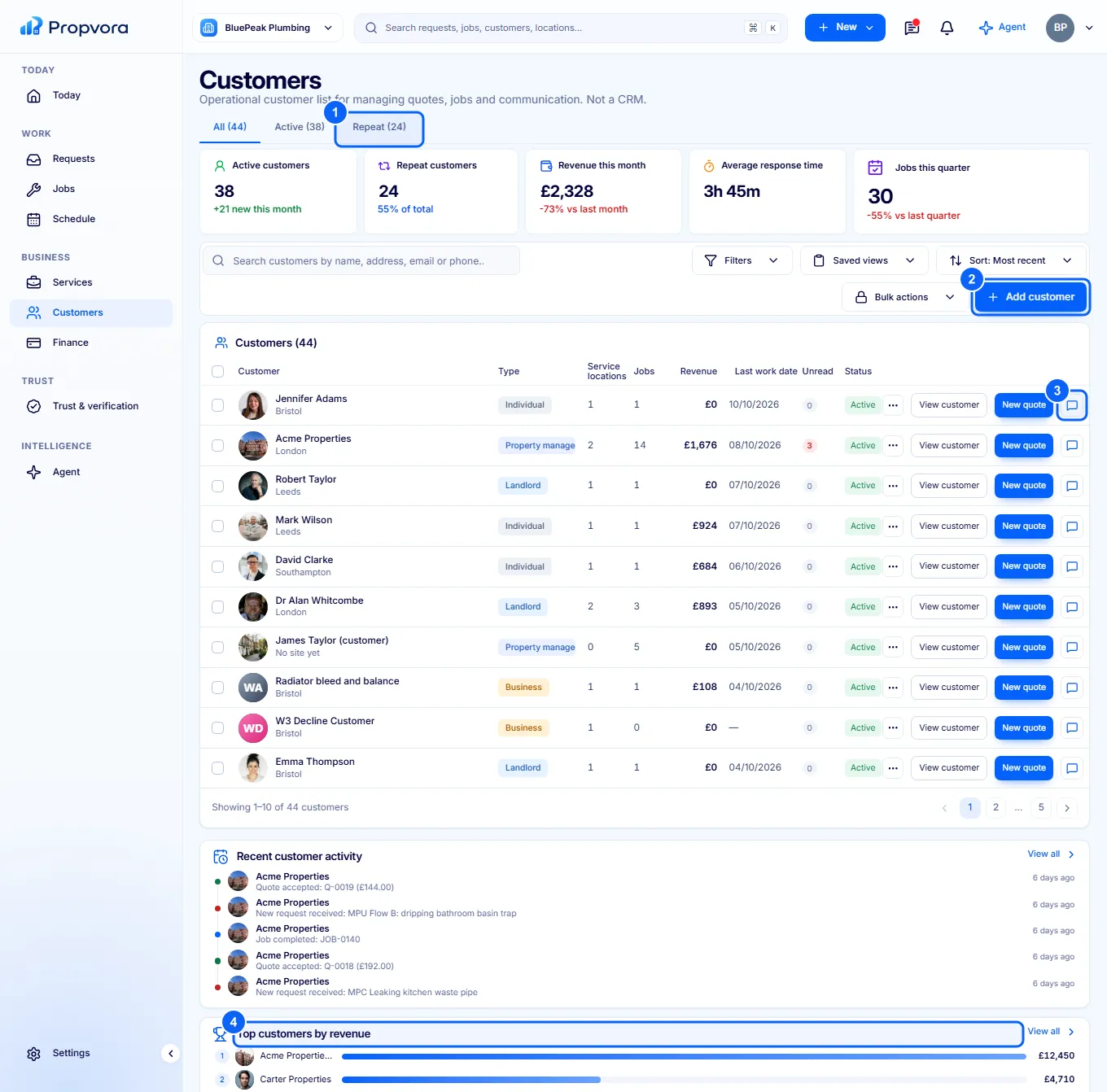 (opens the full-size screenshot)
- All, Active and Repeat tabs.
- Add customer: add a client and their service locations.
- Message: start a conversation in your Inbox.
- Top customers by revenue, Service locations and Repeat business distribution show where your work comes from.
Select a customer to see their details, sites, jobs and invoices.