Supplier guides
Services, packages and your marketplace profile
Create the services customers can book, set pricing and coverage, and check how your public profile looks.
- Updated
- Reading time
- 1 min read
Services are what customers can find and book on the marketplace. On the Free plan you can publish up to 5 services; Pro and above are unlimited.
Find your way around Services
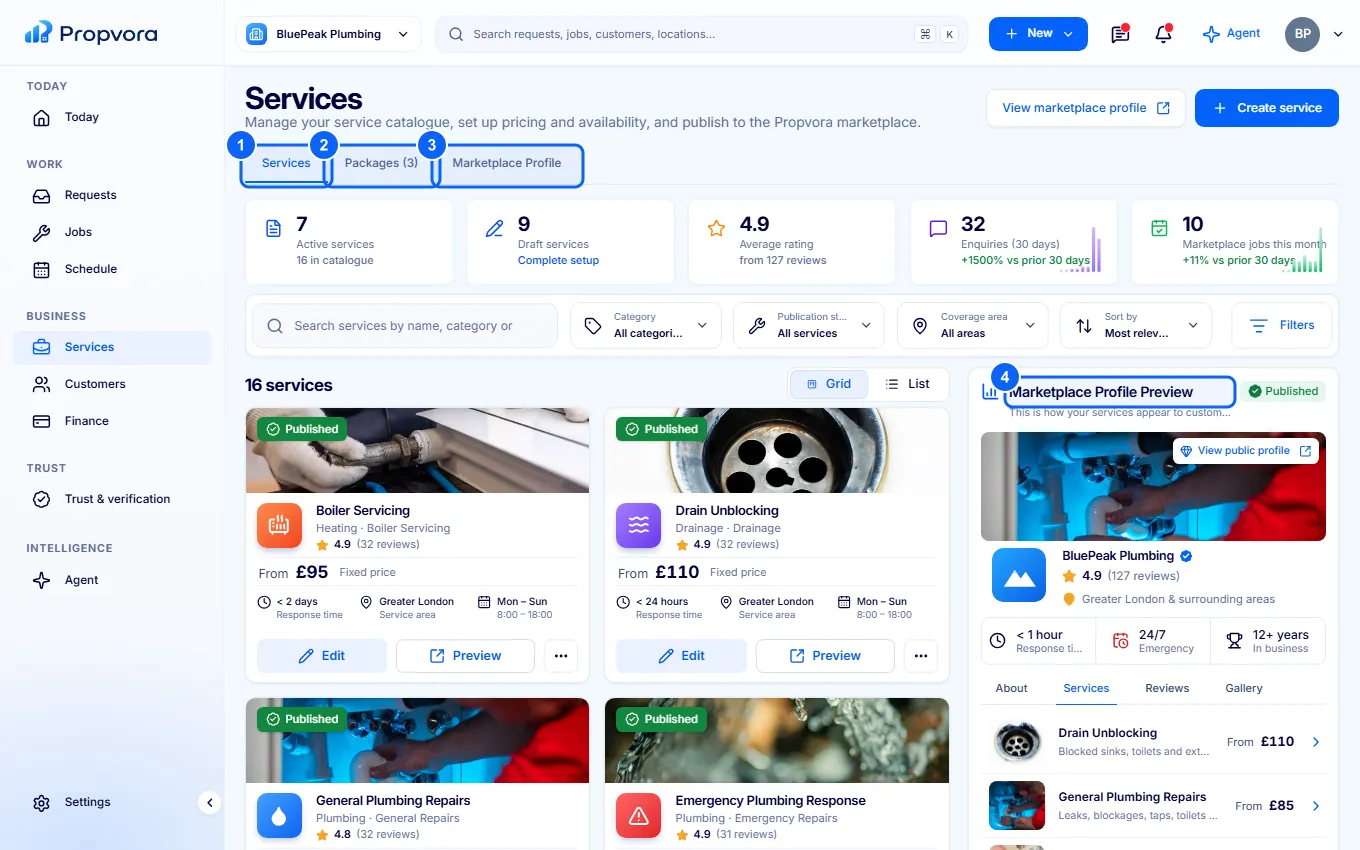 (opens the full-size screenshot)
- Services: each service with its status. Use Grid or List and Filters.
- Packages: bundles of services sold together.
- Marketplace Profile: your public About, Reviews and Gallery.
- Marketplace Profile Preview: how customers see you. Choose Preview for the full page.
Create a service
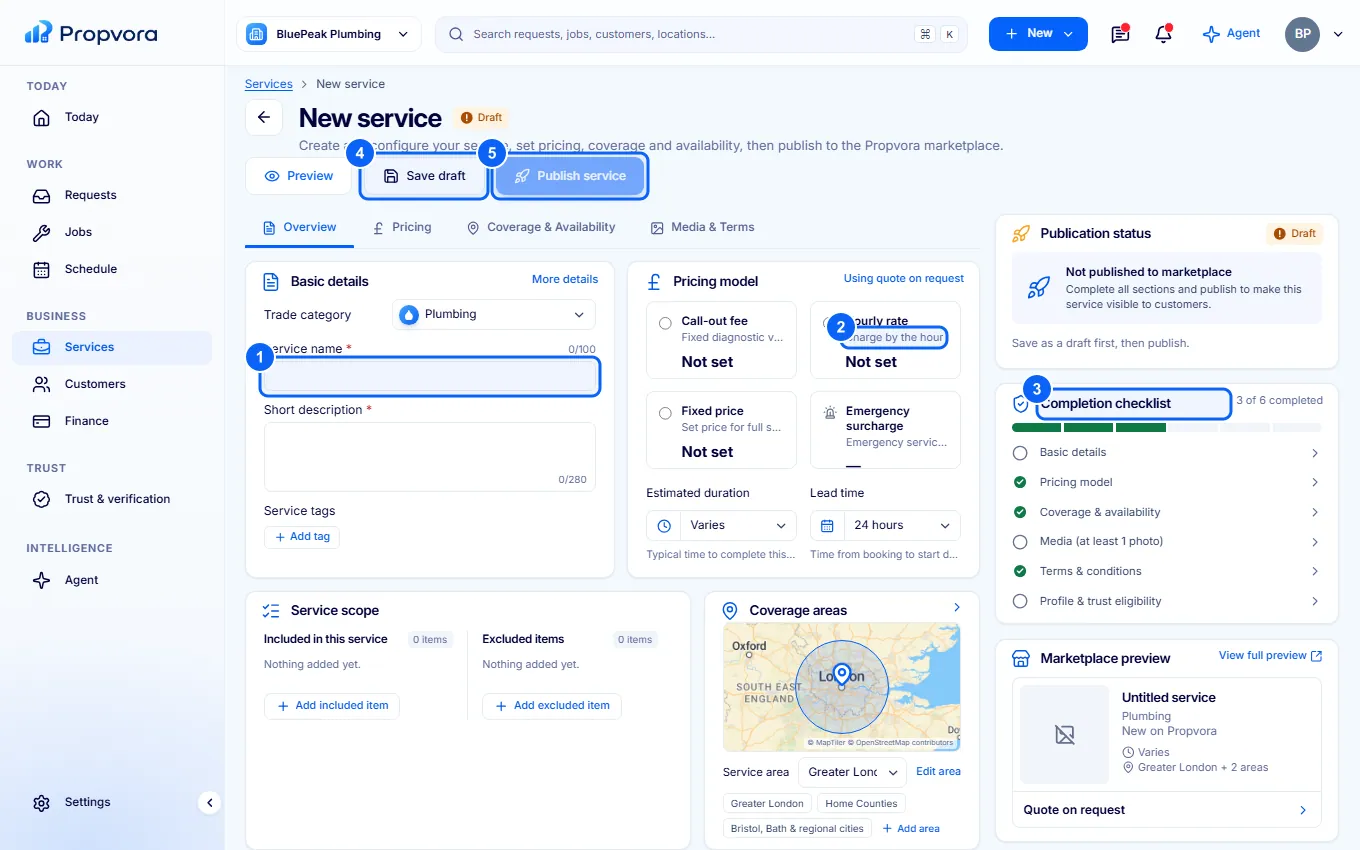 (opens the full-size screenshot)
- Under Basic details, choose the Trade category and the Subcategory (the marketplace has 39 categories and 227 subcategories), then enter the Service name and Short description. Once a category is chosen, Propvora shows the accreditations required for that work, the recognised schemes buyers look for, a typical UK price guide and whether emergency call-outs are common.
- Under Pricing model, set a Call-out fee, Hourly rate or Fixed price, or quote on request, plus any Emergency surcharge.
- Work through the Completion checklist: basic details, pricing, coverage and availability, at least one photo, terms and profile eligibility.
- Choose Save draft at any time.
- Choose Publish service when the checklist is complete.
Add what is included and excluded under Service scope, your Coverage areas and Availability & response times, and photos under Media gallery.