Supplier guides
Dispatch board
Assign jobs to engineers on a day board or map, and clear the unassigned queue. Available on Team plans and above.
- Updated
- Reading time
- 1 min read
Dispatch shows your team's day and the jobs still to assign. It is included on the Team, Agency and Enterprise plans.
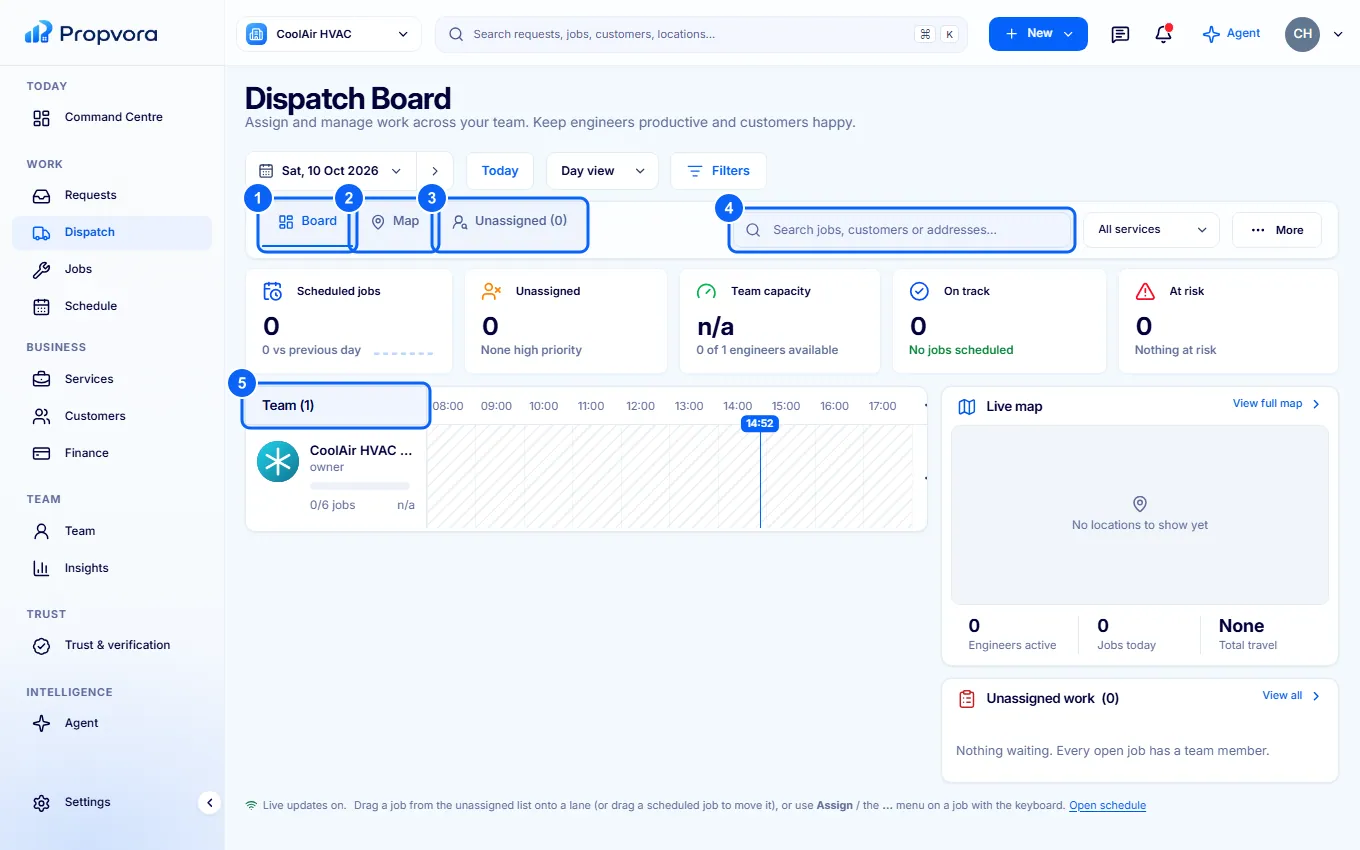 (opens the full-size screenshot)
- Board: one row per engineer across the day.
- Map: jobs and engineers on a live map, useful for grouping nearby work.
- Unassigned: jobs that still need an engineer.
- Search jobs, customers or addresses, or Filter by service.
- Team: each engineer with their workload. Assign a job to them from the board or the job's actions.
Use Previous day, Next day and Today to plan ahead. Engineers only see the jobs assigned to them.