Supplier guides
Schedule, availability and on-call
See your week, set working hours and time off, pause new jobs, go on call and sync your calendar.
- Updated
- Reading time
- 1 min read
Schedule shows your week and controls when you can be booked. Your availability is used when customers book services and when the marketplace matches requests.
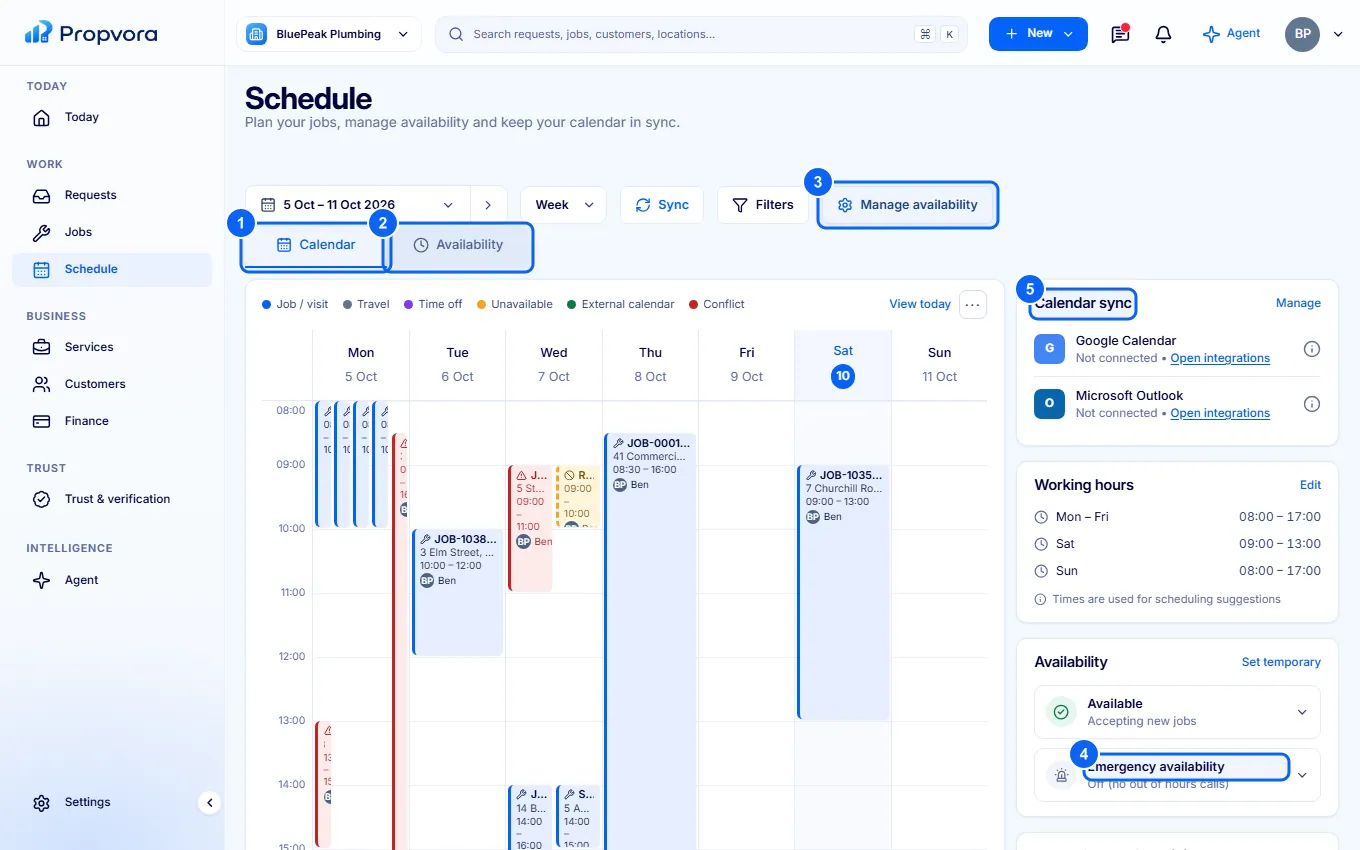 (opens the full-size screenshot)
- Calendar: your jobs and blocks for the week. Use the date range and Week picker, and Sync to refresh connected calendars.
- Availability: your working hours, time off and blocked dates, and any upcoming conflicts.
- Manage availability: change your Working hours, add time off and set temporary availability, for example to stop accepting new jobs for a while.
- Emergency availability: choose whether you take out-of-hours emergency calls.
- Calendar sync: connect an external calendar so bookings and busy times stay in step.
Add a block for holidays or other commitments from New › Calendar block in the top bar.