Supplier guides
Trust and verification
Verify your business, upload insurance and certificates, and manage reviews that affect your marketplace eligibility.
- Updated
- Reading time
- 1 min read
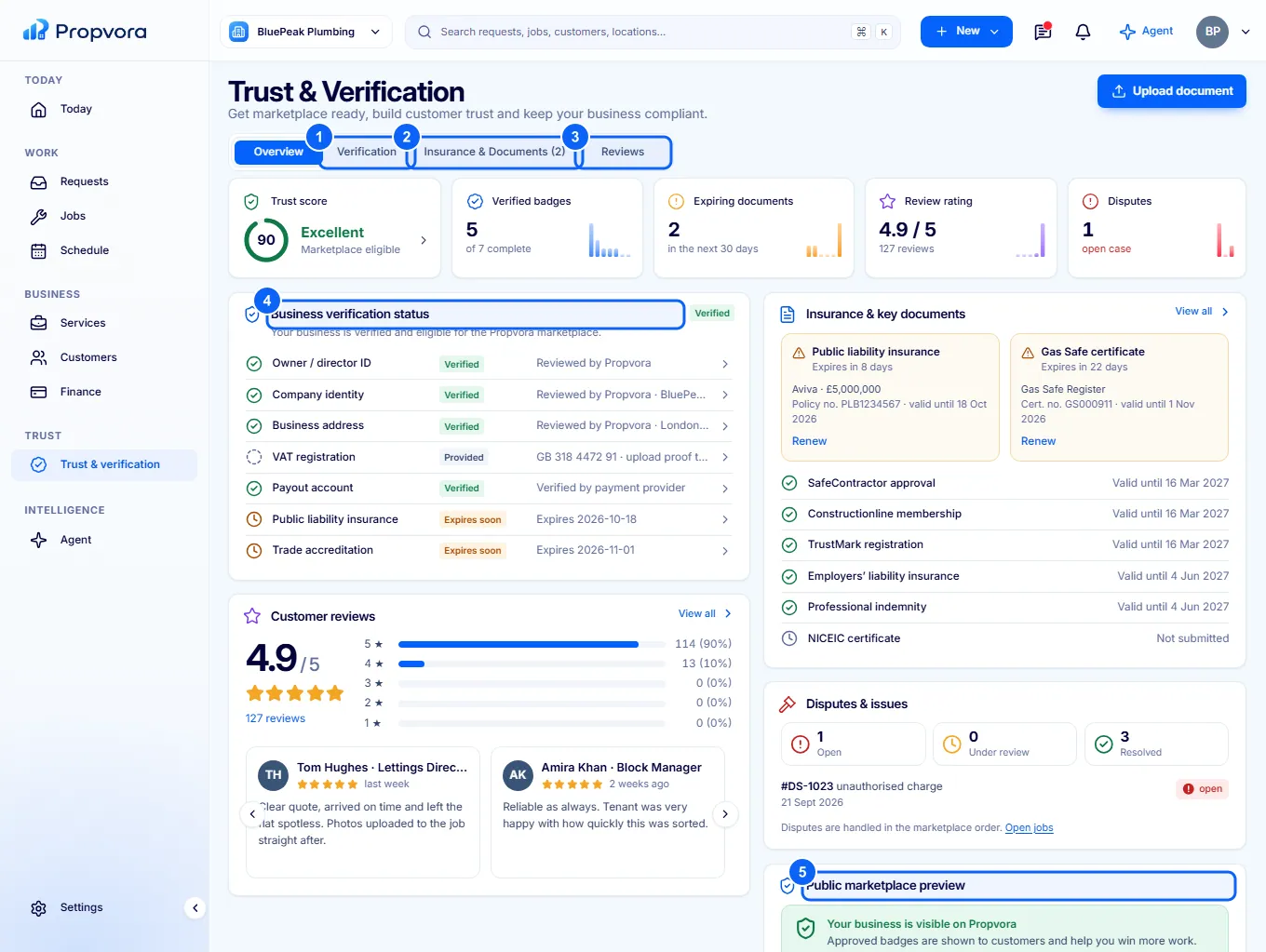
Trust & verification shows the checks customers see on your profile and what affects whether you appear in marketplace results.
 (opens the full-size screenshot)
- Verification: your business verification and Trust score, with What affects marketplace eligibility.
- Insurance & Documents: upload insurance, accreditations and certificates such as Gas Safe registration, with expiry dates. You are reminded before they expire.
- Reviews: what customers have said, with any replies.
- Business verification status: which checks are complete.
- Public marketplace preview: how your badges appear to customers.
Each badge only describes the specific check named on it, as at the date shown. Work that legally needs a credential (for example gas work) can only be released for payment while that credential is valid. Any Disputes & issues on your orders are listed here too.