Supplier guides
Team and permissions
Invite engineers and office staff, give each the right role and check capacity. Available on Team plans and above.
- Updated
- Reading time
- 1 min read
Team is included on the Team plan (3 seats) and Agency plan (10 seats), with extra seats available. Each person signs in with their own account and only sees what their role allows: for example an engineer only finds the jobs assigned to them, and roles without finance access see no invoices.
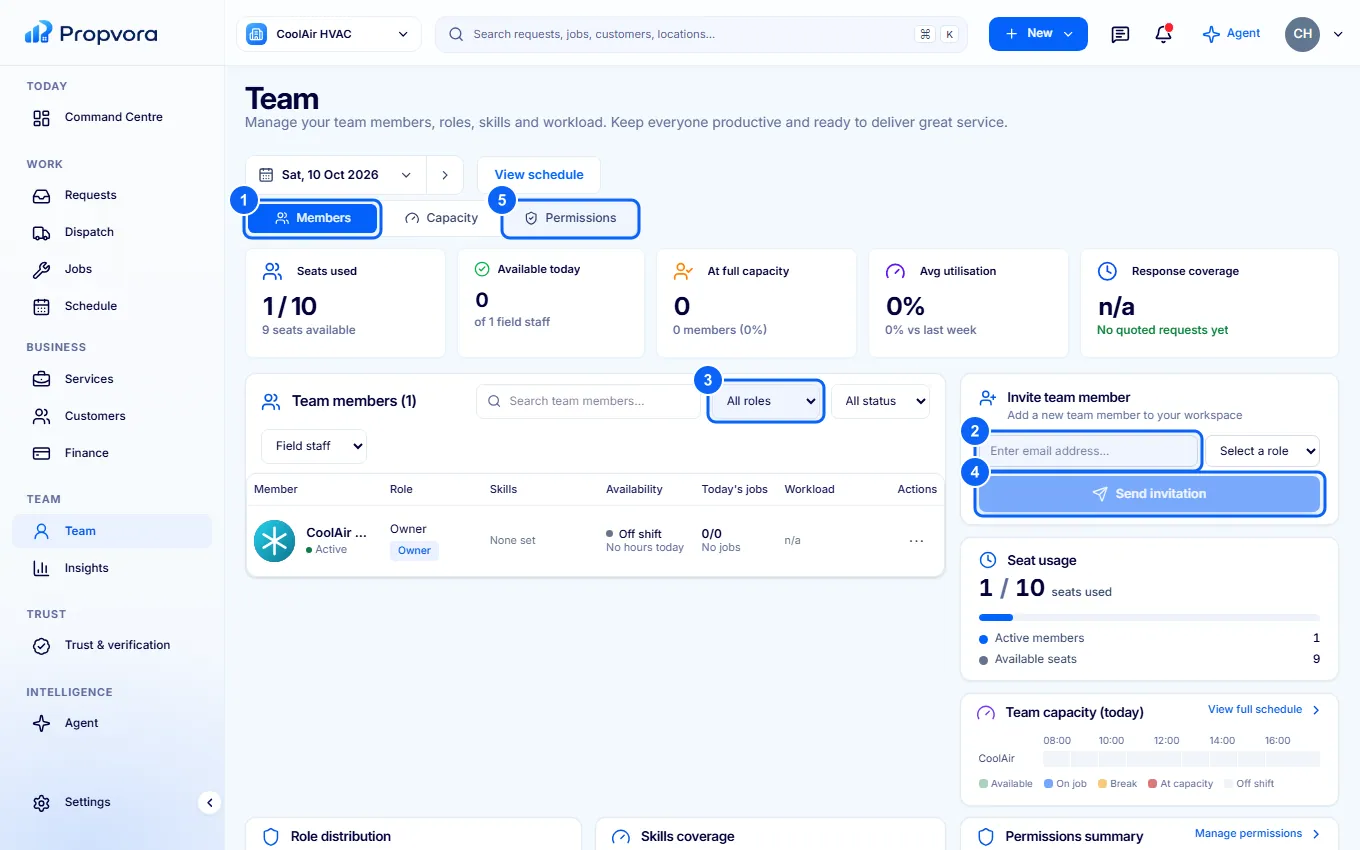 (opens the full-size screenshot)
- Members: everyone on the team with their role and status. Capacity shows today's workload.
- Under Invite team member, enter their Email address.
- Choose a Role, for example Admin, Engineer, Finance or Manager / Dispatcher.
- Choose Send invitation. They get an email to join.
- Permissions: what each role can see and do.
Seat usage, Skills coverage and Role distribution help you see gaps before you take on more work.