Portals
Landlord portal guide
See your properties, statements and income, follow maintenance, read documents and message your managing agent.
- Updated
- Reading time
- 1 min read
On this page
If a letting or management agent looks after your properties in Propvora, they can share a landlord portal with you. It shows your own properties only.
Find your way around
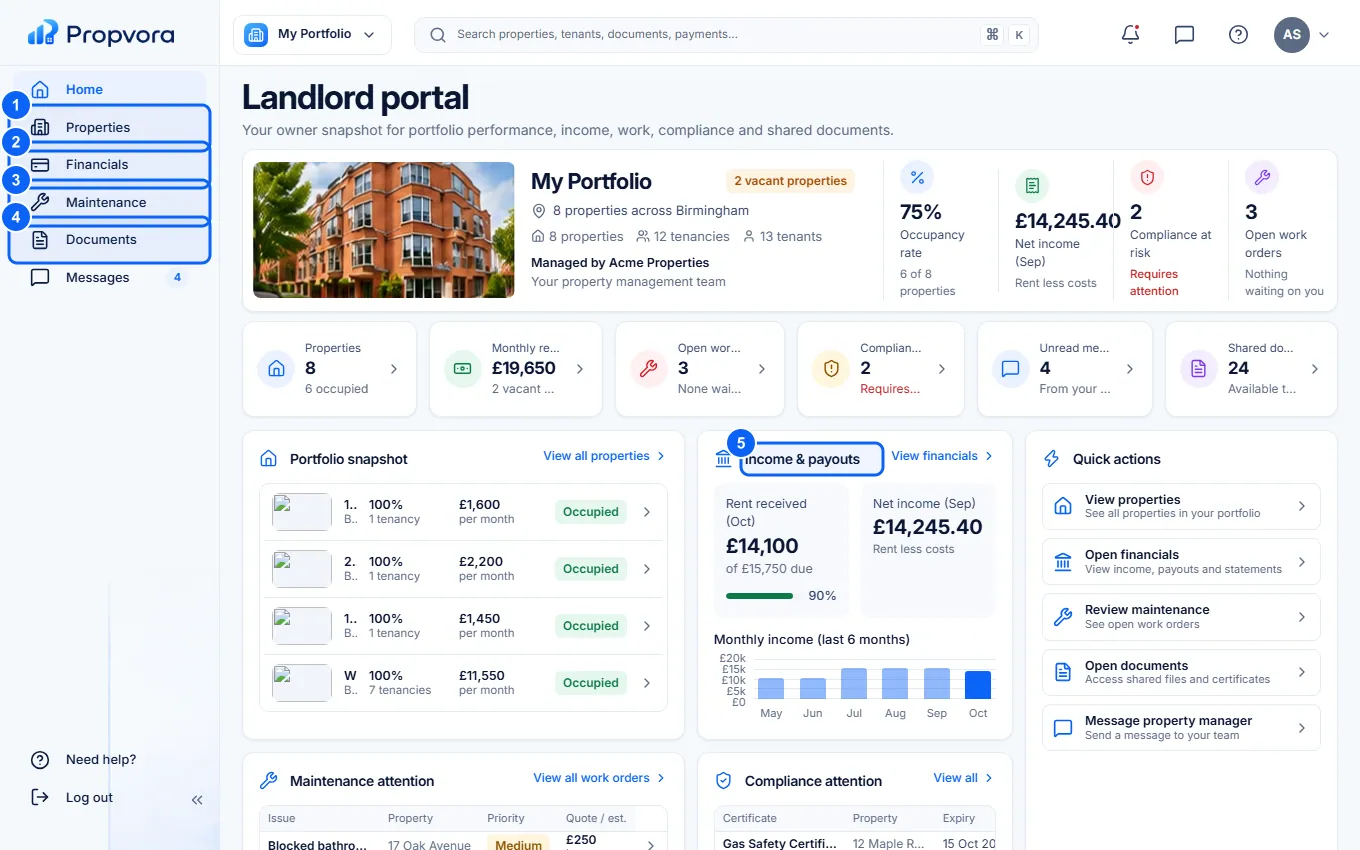 (opens the full-size screenshot)
- Properties: each property with its occupancy, tenancy status and compliance. Switch between grid, list and map.
- Financials: statements, income and costs, and payouts.
- Maintenance: open and completed work at your properties.
- Documents: statements, agreements, compliance certificates and other files.
- Income & payouts: your income this period and recent payouts.
Statements and payouts
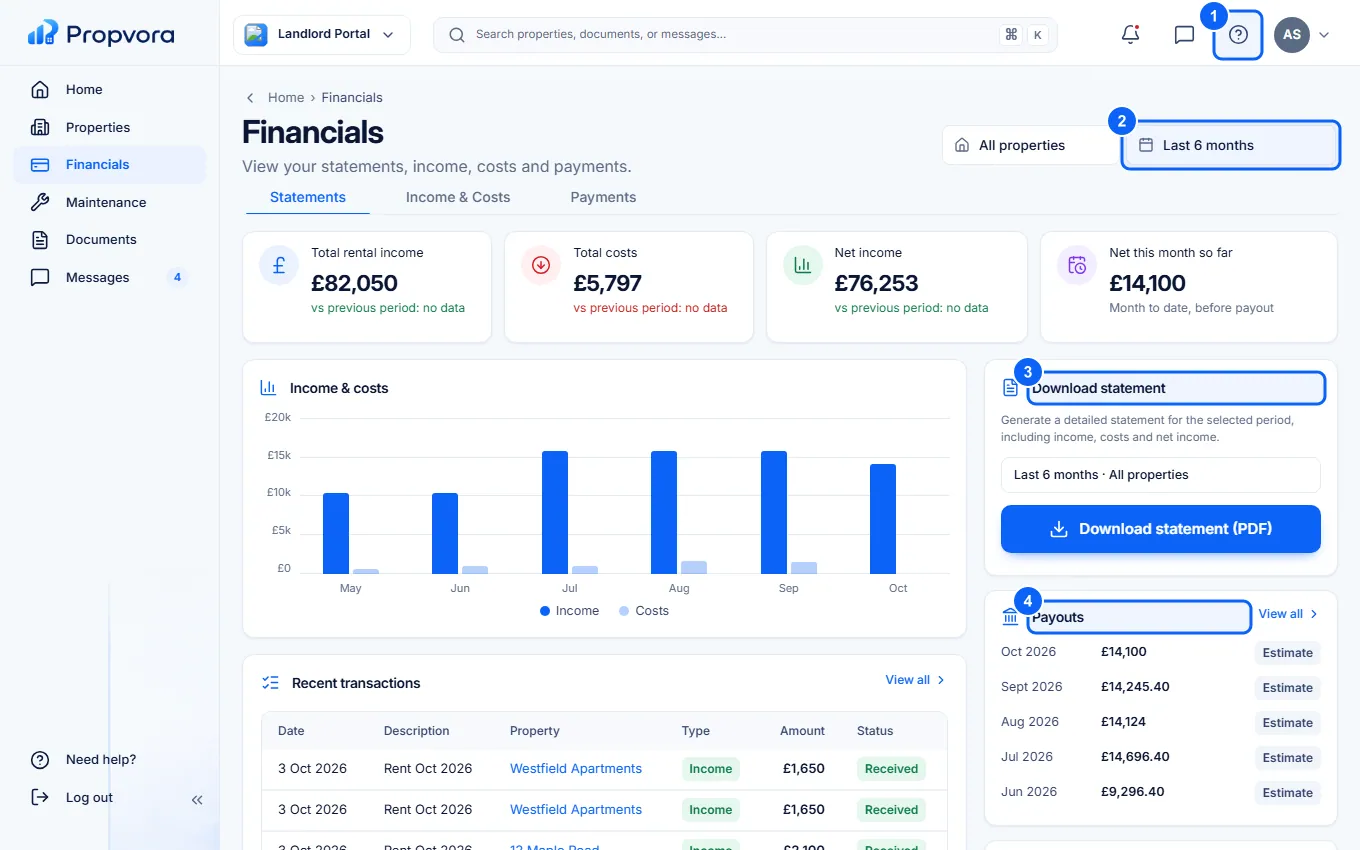 (opens the full-size screenshot)
- Choose a Property, or all properties.
- Choose the Period: last 3, 6 or 12 months, or year to date.
- Download statement for a PDF statement of the period.
- Payouts: what your agent has paid you. To change the account you are paid into, use Update details, which sends a message to your agent.
Maintenance approvals
If your agent has switched on approvals, work above your agreed limit waits for you in Maintenance. Open the job, check the quote and approve or decline it. Use Messages to ask your agent about anything on the portal.