Portals
Applicant portal guide
Follow your rental application, complete checks, upload requested documents, see your viewings and message the letting team.
- Updated
- Reading time
- 1 min read
When you apply for a home with a letting team that uses Propvora, they can share an applicant portal so you can follow your application in one place.
Your application
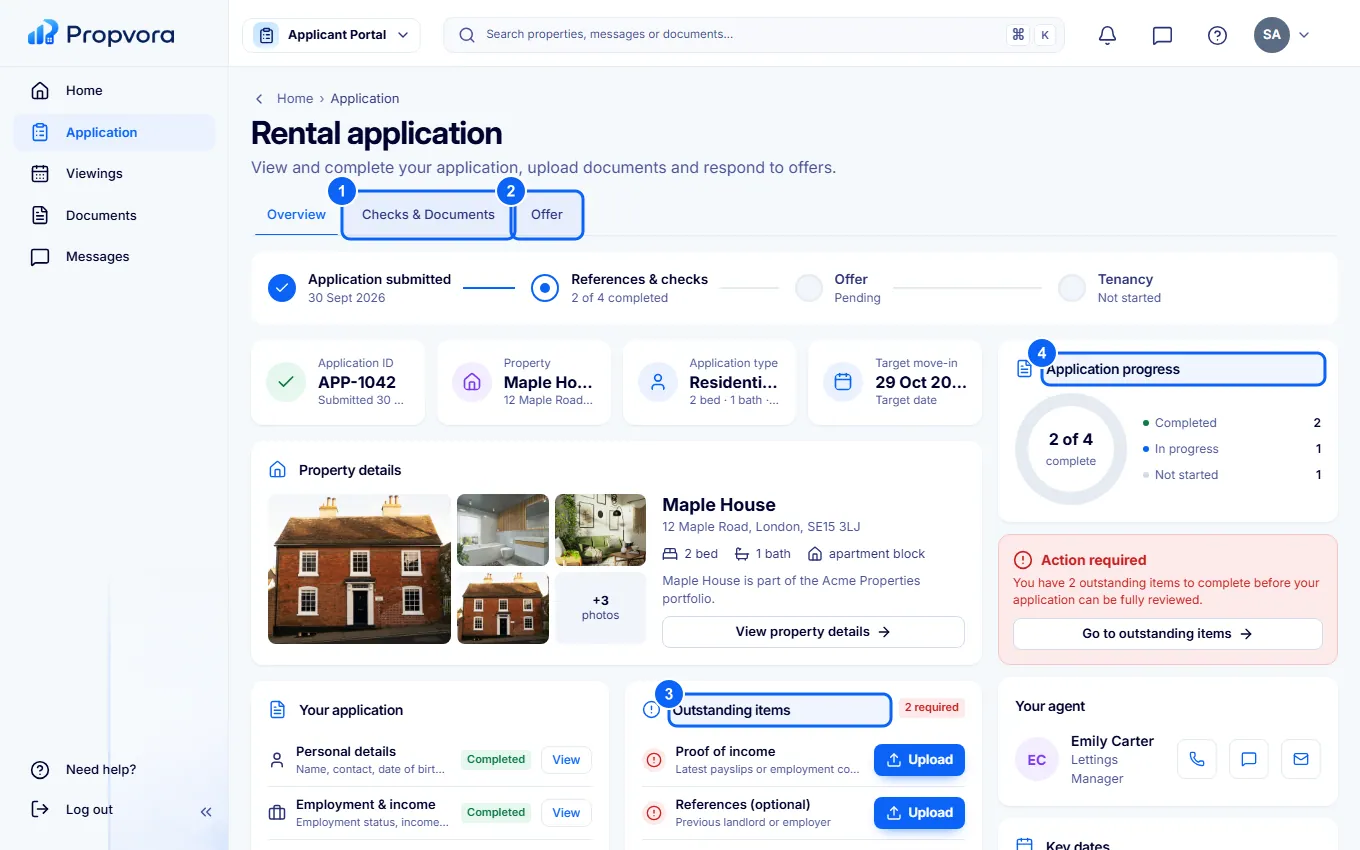 (opens the full-size screenshot)
- Checks & Documents: the checks the letting team needs and what you still have to provide. Choose Start or View on each item.
- Offer: the offer and its terms, once one is made.
- Outstanding items: what is still needed from you.
- Application progress: where your application is, from submitted to accepted.
Upload documents
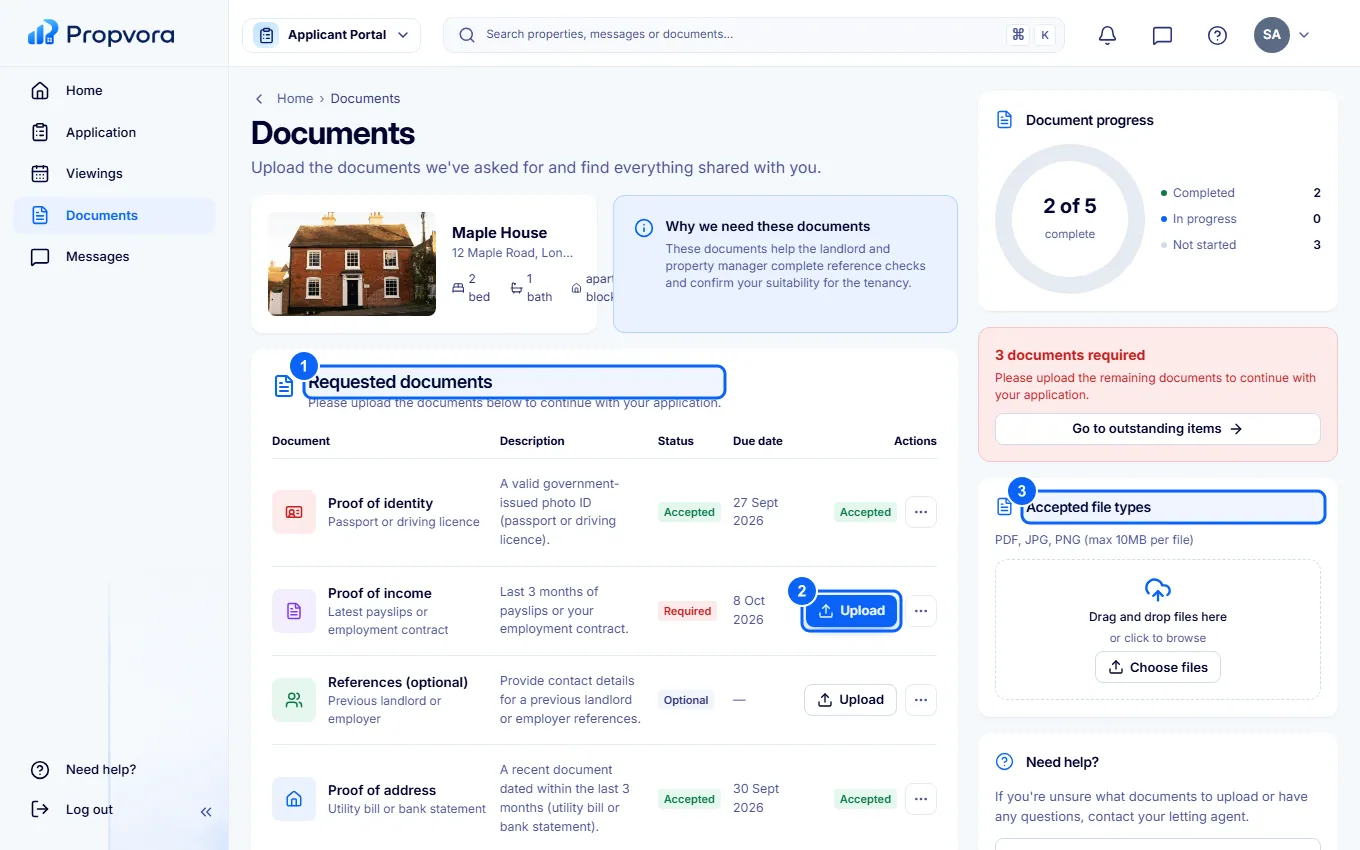 (opens the full-size screenshot)
- Requested documents lists what the team has asked for, such as ID or proof of income.
- Choose Upload and pick the file.
- Check Accepted file types first.
Viewings shows your upcoming and past viewings with what to bring, and Messages keeps your conversation with the letting team. If your application is accepted, the team will move you on to a tenancy and may invite you to a tenant portal.