Guests, renters and customers
Explore stays, homes to rent and services
Search the Propvora marketplace for short stays, homes to rent and local services, filter the results and save favourites.
- Updated
- Reading time
- 1 min read
Explore is where you search everything listed on Propvora. Using Propvora as a guest, renter or customer is always free.
Search
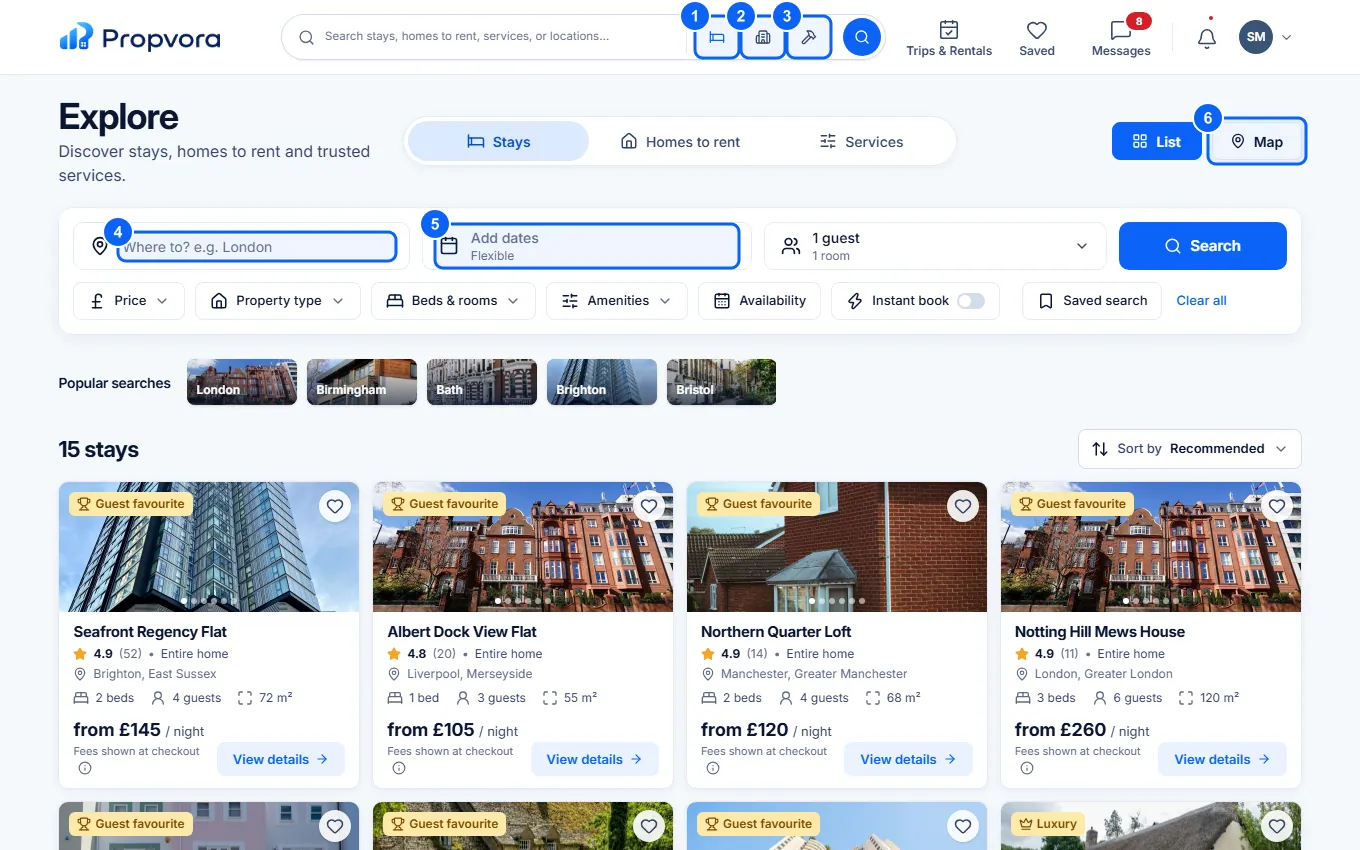 (opens the full-size screenshot)
- Stays: short stays and holiday lets.
- Homes to rent: long-let rentals you can apply for.
- Services: local tradespeople and services you can book.
- Where: type a place, or pick a popular city.
- Add dates and the guest count, then choose Search.
- List or Map: switch how results are shown.
Filter, save and check the price
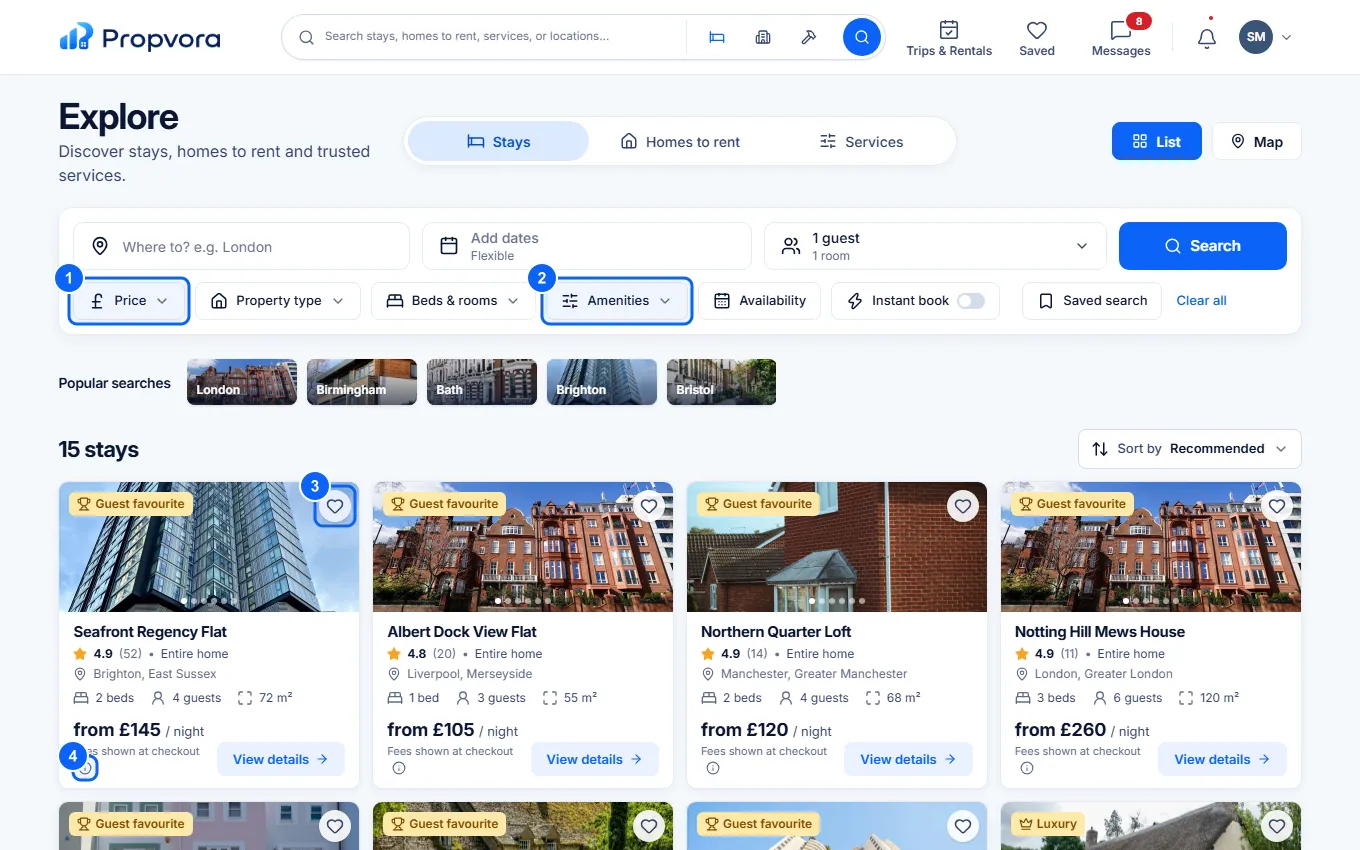 (opens the full-size screenshot)
- Filter by Price, Property type, Beds & rooms, Availability or Instant book.
- Amenities: Wi-Fi, parking, pets and more.
- Save: keep a listing in Saved, and use Saved search to be told about new matches.
- About fees: what is included in the price you see.
For stays, the price you see includes a 1% service fee, and card processing is charged at cost; the full total is shown before you pay, with nothing added afterwards. Your payment is protected: the host is only paid once the stay has ended and the release rules are met. See How Payment Protection works.
Select a result to see photos, details, reviews and availability, then book, apply or request the service.