Guests, renters and customers
Your account, payments, notifications and data
Edit your profile, manage saved payment methods and notifications, download your data or delete your account.
- Updated
- Reading time
- 1 min read
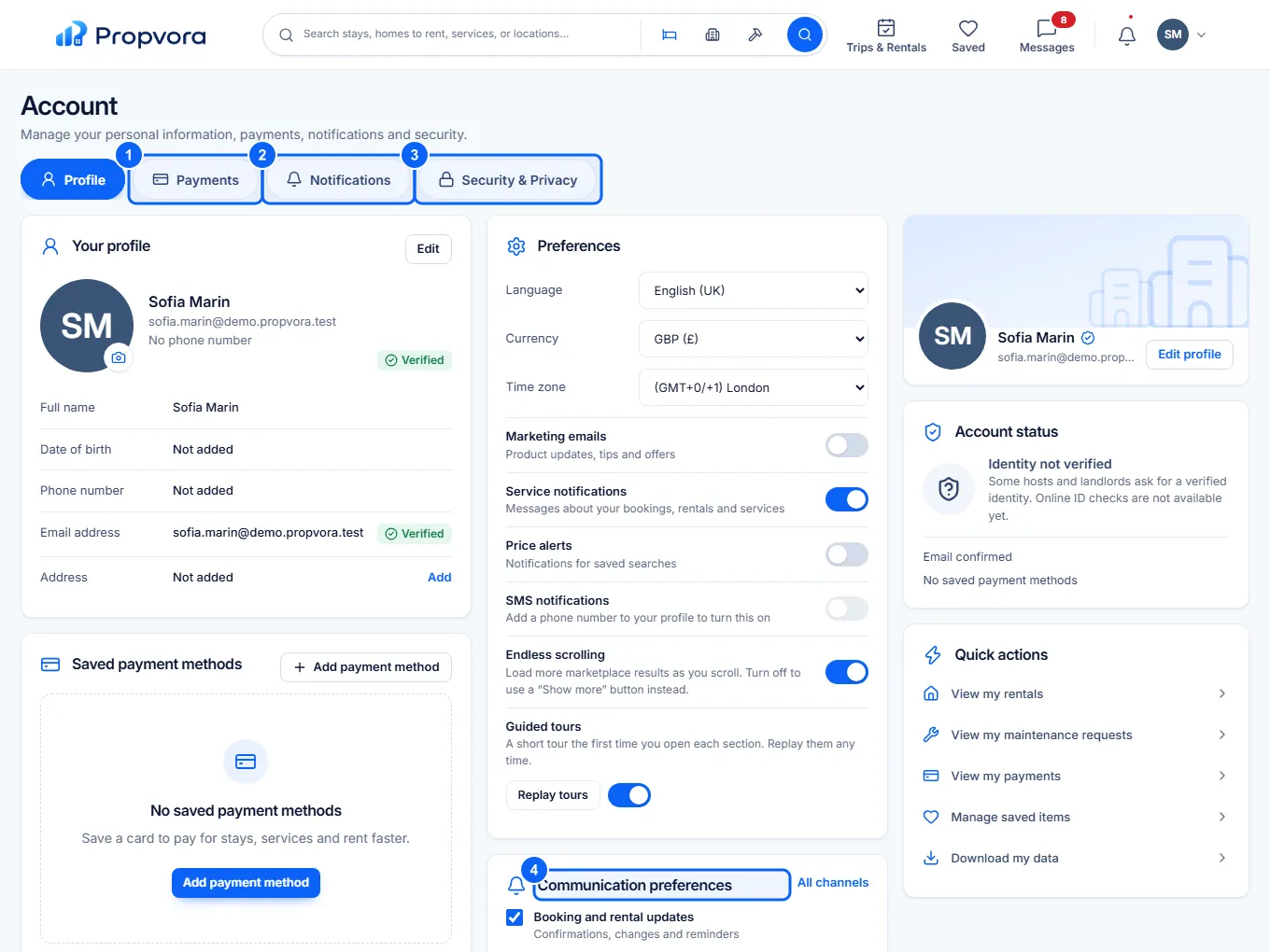
Account has four tabs: Profile, Payments, Notifications and Security & Privacy.
 (opens the full-size screenshot)
- Payments: your saved payment methods. Choose Add payment method to save a card.
- Notifications: marketing emails, service notifications, price alerts and text messages.
- Security & Privacy: sign-in security and your data.
- Communication preferences: choose which updates you get (bookings and rentals, maintenance, messages, new matches and marketing).
Use Edit on Your profile to change your name, photo, language, currency and time zone. Under Preferences you can switch Endless scrolling and Guided tours on or off, and Replay tours to see them again.
Download your data or delete your account
 (opens the full-size screenshot)
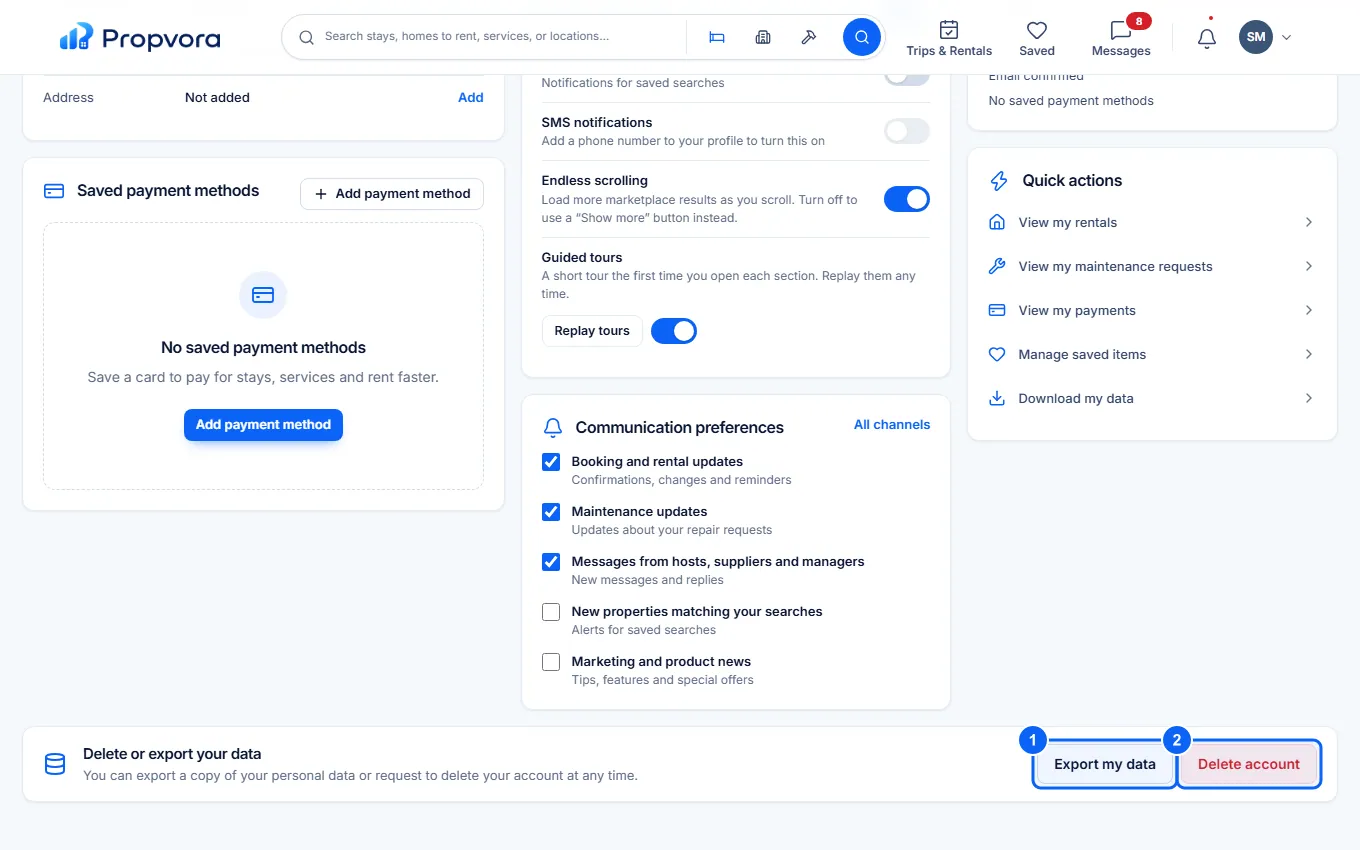
- Export my data prepares a copy of the personal data in your account for you to download. Download my data under Quick actions does the same.
- Delete account: type the confirmation and request deletion. Your account is deleted after a 30-day grace period, and you can cancel the request at any time during it. Some records are kept for as long as the law requires, as explained in the Privacy Policy.
Read about your rights in Your privacy rights.