Partner programme
Create tracked links and QR codes
Copy your referral link, build campaign links so you can see what works, and download a QR code for print.
- Updated
- Reading time
- 1 min read
Every partner has a referral link. Anyone who signs up or books after visiting through it is attributed to you. Campaign links add a label, so you can see which post, email or event brought each referral.
Copy your link and build campaign links
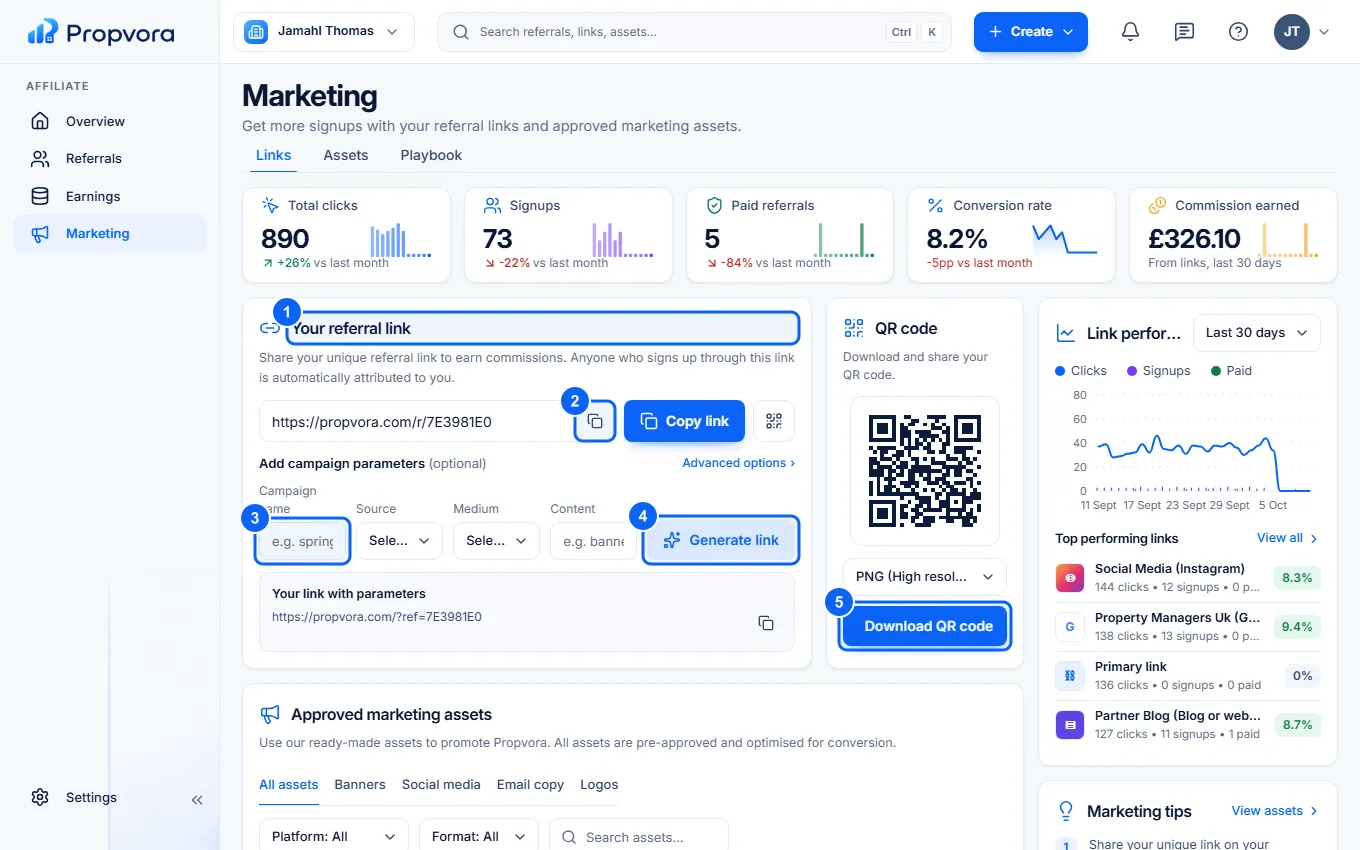 (opens the full-size screenshot)
- Your referral link: your main link. It is also on the Overview page.
- Copy link: copy it to share.
- Enter a Campaign name (for example spring-newsletter) and optional Content. Advanced options lets you change the landing page.
- Choose Generate link, then Copy full link.
- Download QR code for flyers, slides or business cards, in the QR file format you need.
Link performance and Top performing links show clicks, sign-ups and paid customers for each link. You can also create a link from Create › Tracked link in the top bar.