Partner programme
Set up payouts and request a payout
Connect Stripe once, then request a payout to your bank whenever your available commission is at least £50.
- Updated
- Reading time
- 1 min read
Commission is paid through Stripe Connect into your own bank account. Stripe verifies your identity before the first payout; Propvora never sees your bank details.
Request a payout
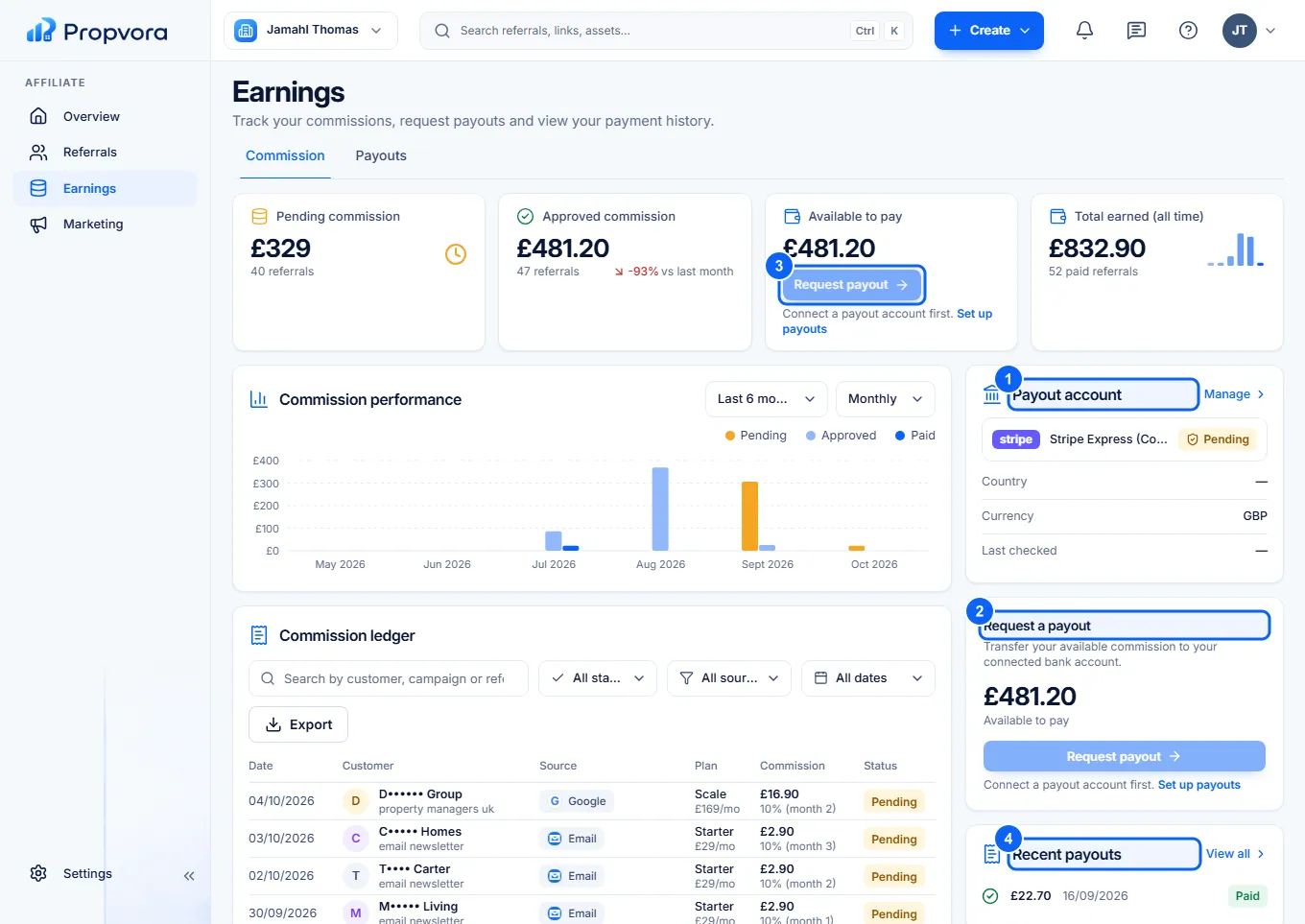 (opens the full-size screenshot)
- Payout account: if it is not set up yet, choose Set up payouts and complete Stripe's steps.
- Request a payout shows the commission Available to pay (approved commission past its cooling-off period).
- Choose Request payout and confirm. The amount is confirmed from your commission ledger when you make the request.
- Recent payouts shows each payout and its status.
You cannot request a payout while your available balance is under £50, a payout is already in progress, or your payout account is not ready yet.
Keep your payout details up to date
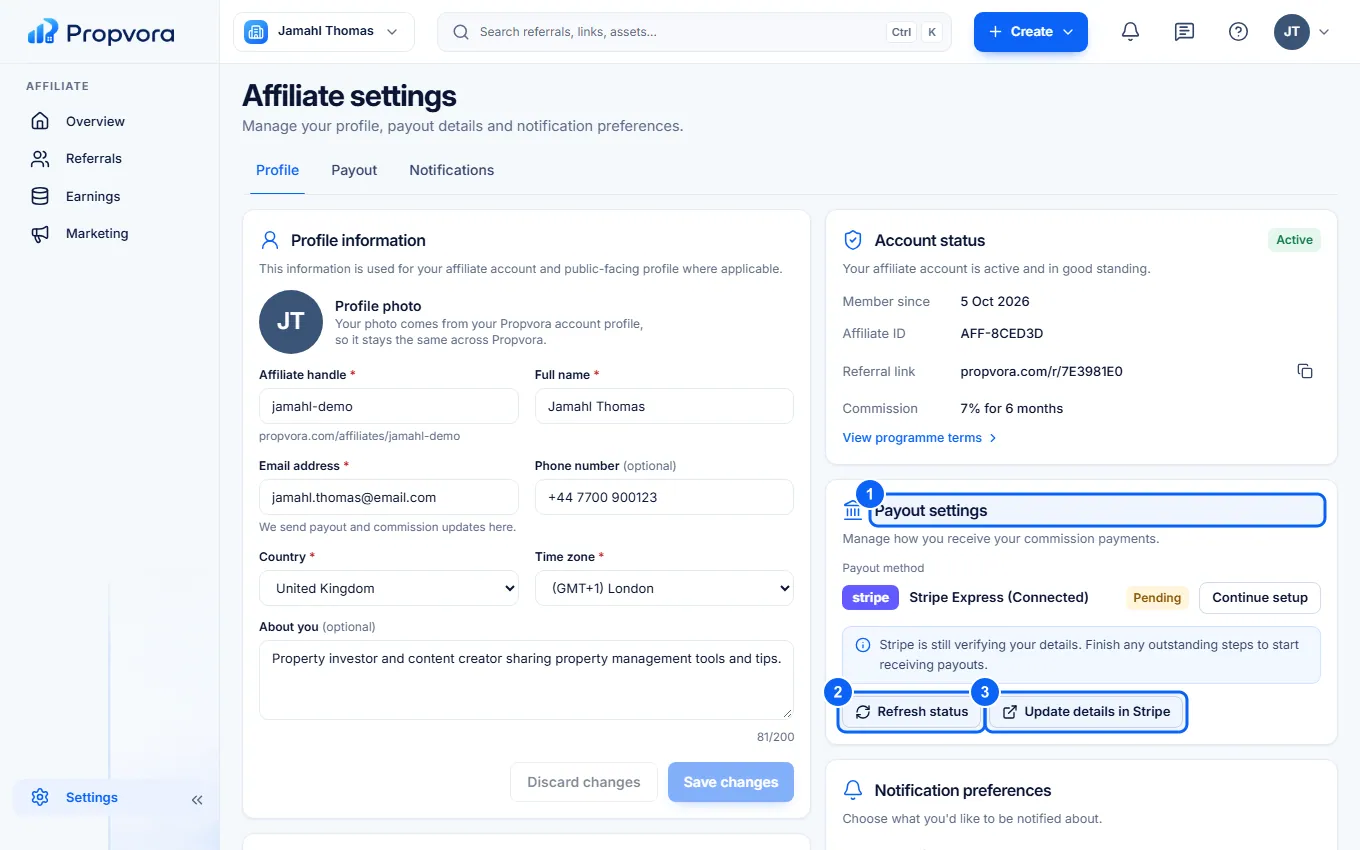 (opens the full-size screenshot)
- Open Settings and find Payout settings.
- Refresh status checks your Stripe account again after you have finished a step.
- Update details in Stripe opens Stripe to change your bank account or details.