Partner programme
Track referrals and earnings
Follow each referral from sign-up to paid customer and see every commission entry in your ledger.
- Updated
- Reading time
- 1 min read
Referrals lists everyone attributed to you. Earnings shows the commission each referral has generated and where it is in the cooling-off period.
Referrals
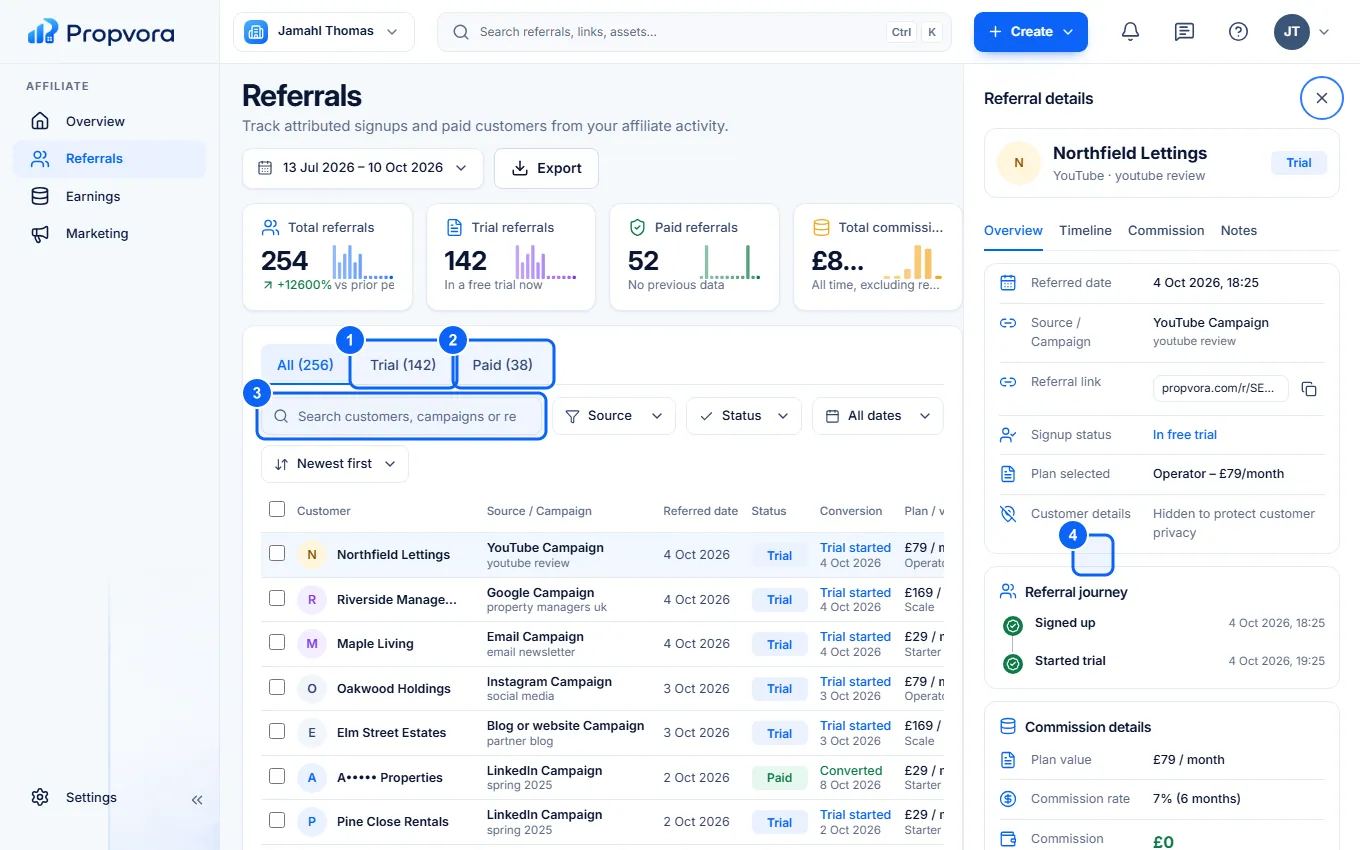 (opens the full-size screenshot)
- Trial: referrals in their free trial. No commission is due yet.
- Paid: referrals who have made a valid payment.
- Search customers, campaigns or referral links, and change the date range at the top.
- View referral: open the referral's Timeline, Commission and your private Notes.
To protect customers' privacy, referral names may be partly masked, and you never see a customer's workspace content.
Earnings
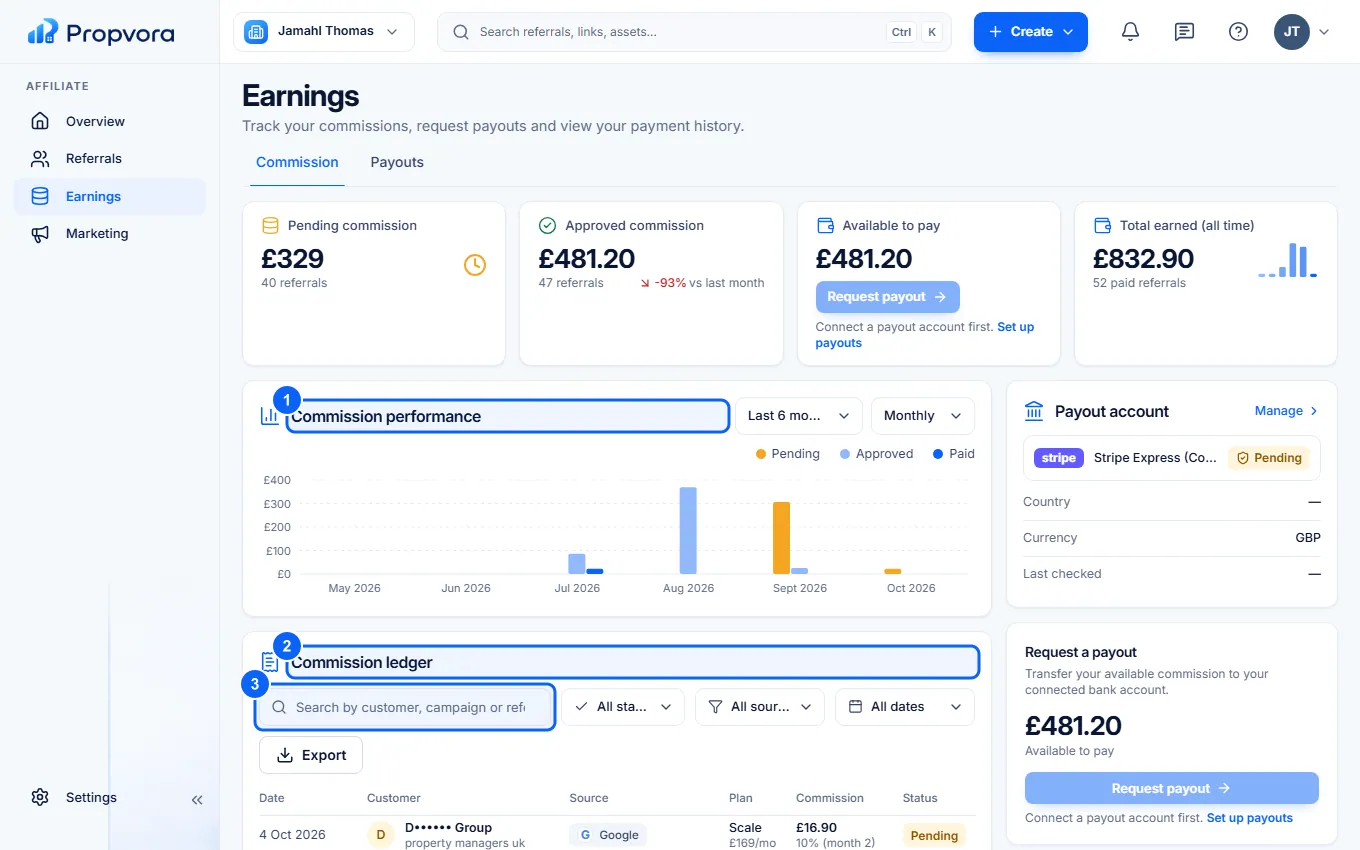 (opens the full-size screenshot)
- Commission performance: commission earned over time.
- Commission ledger: every commission entry and its status, from pending (in the 30-day cooling-off period) to approved, paid or reversed.
- Search the commission ledger to find an entry.