Partner programme
Marketing assets and the Playbook
Download approved banners, social posts, email copy and logos, and follow the Playbook for compliant, effective promotion.
- Updated
- Reading time
- 1 min read
Use approved assets so your promotion is accurate and on brand. Everything lives under Marketing in your affiliate workspace.
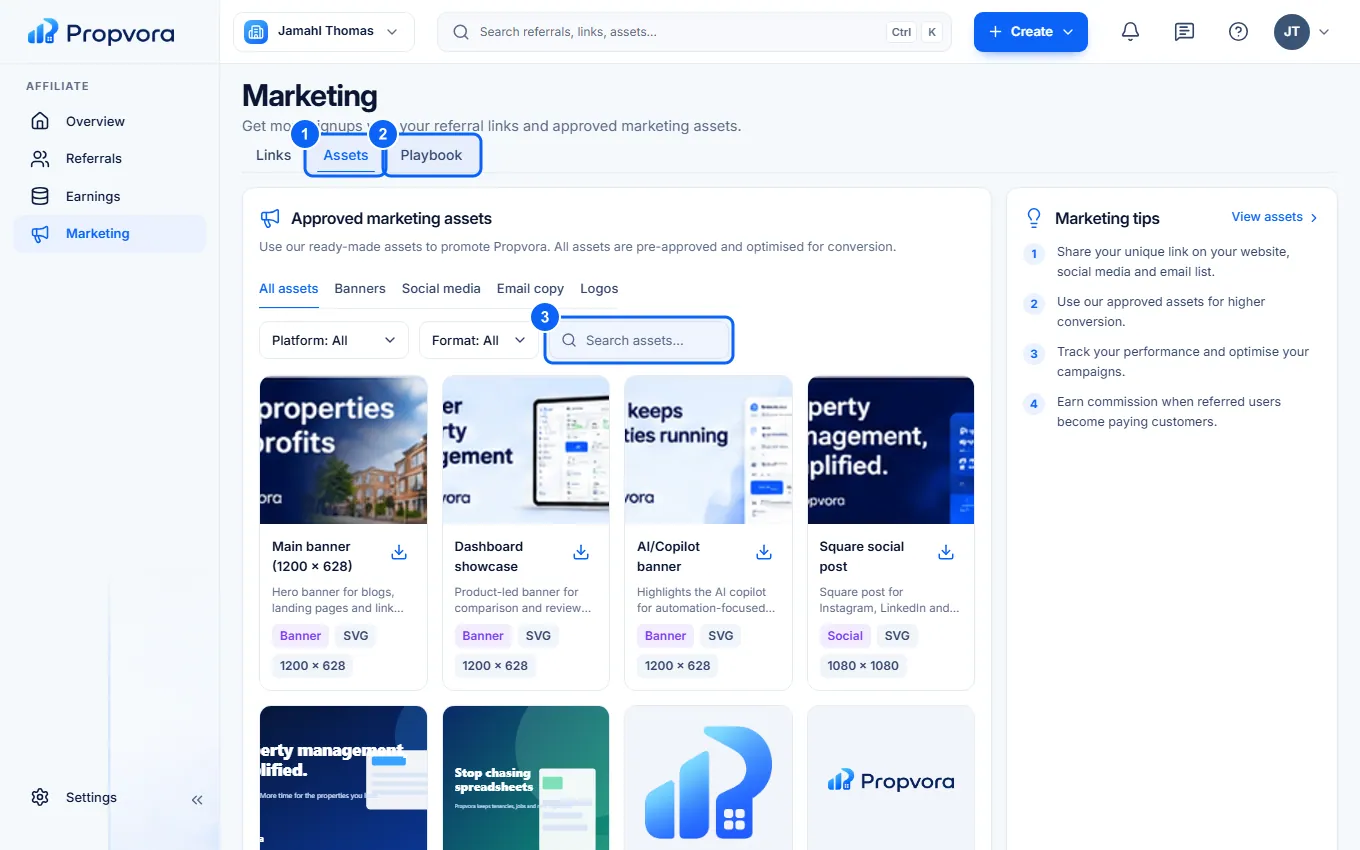 (opens the full-size screenshot)
- Assets: approved banners, social media images, email copy and logos. Filter with All assets, Banners, Social media, Email copy and Logos, and download what you need.
- Playbook: practical guidance on who to approach, what to say, the rules you must follow and examples that work.
- Search assets to find something specific.
Do not edit logos or make claims that are not in the approved copy, such as guaranteed savings or earnings. The Partner Terms set out the marketing rules in full.